MobileLearningInContext-April2015

New eBook: Mobile Learning in Context — from learningsolutionsmag.com, Janet Clarey, & others; with thanks to Mayra Aixa Villar for this item

Excerpt:

Mobile learning is here to stay: Why be tied to a computer when you can spend the day where you want and learn at the same time? But mLearning isn’t just eLearning on a smaller screen. It has specific demands and offers unique opportunities. Are you making the most of your mLearning? The eLearning Guild’s free eBook, Mobile Learning in Context, might inspire you to rethink your approach.

Rethink your approach
For Mobile Learning in Context, contributing editor Janet Clarey assembled a group of mobile learning thought leaders and asked for their take on the range of mLearning topics. Each of the essays will make you consider the possibilities of mobile learning in a whole new light. Among the eBook’s highlights:


Watch out for these trends in mobile learning: 2015 and beyond — from blog.originlearning.com

Excerpt:

  • Global mobile data traffic grew 69 percent in 2014 and was nearly 30 times the size of the entire global Internet in 2000
  • Mobile video traffic exceeded 50 percent of total mobile data traffic for the first time in 2012
  • Mobile network (cellular) connection speeds grew 20 percent in 2014
  • In 2014, on an average, a smart device generated 22 times more traffic than a non-smart device.

These are just some excerpts from Cisco’s Visual Networking Index: Global Mobile Data Traffic Forecast Update for 2014 to 2019, but they clearly prove a point. That, the usage of mobiles is growing faster than ever before, backed by the rolling out of quicker internet speeds and smarter phones at affordable prices.

  • The research has also made important forecasts for the next 5 years, such as:
  • The number of mobile-connected devices exceeded the world’s population in 2014.
  • 4G traffic will be more than half of the total mobile traffic by 2017.
  • Because of increased usage on smartphones, smartphones will reach three-quarters of mobile data traffic by 2019.

Now against the backdrop of such information, it is interesting to explore what role mobiles are playing in shaping up the workplace learning scenario. These trends with mobile learning are evidence to the fact that we are on the brink of a new era of learning – through the mobile device.


Learning in a Multi-device World (Infographic) — from upsidelearning.com by Pranjalee Thanekar; with thanks to Mayra Aixa Villar for this item

Excerpt:

According to the Verto Analytics’ Device Ecosystem US 2014 report, the average number of smartphones, tablets and computers used by an average US adult is 2.8 devices. Further, consumers show an increasingly polarised preference towards a particular device and platform as technology evolves. This indicates the increasing dependency on devices, generated by the ease in switching between tasks and the leverage it provides.


Why Millennials understand the future of work better than anyone else — from fastcompany.com by Sara Horowitz
We can learn a lot about the future of work from how Millennials are approaching and redefining their careers.

From DSC:
Note the digital media literacies mentioned in the excerpt below — as well as how many times the topic of freelancing comes up:

Excerpt:

I call that traditional view, “Big Work,” and millennials intuitively understand that’s not where the future is. They are, in a sense, the first generation of freelance natives. They’re embracing freelancing in a way no other generation has. And now, they’re the majority of the workforce.

They are generation with markedly diverse interests––they’re into design, tech, activism, the arts, everything. They’ve been told their whole lives that they can and should pursue as many of those interests as they want. The Internet has opened more doors to this generation than any other.

That’s why the idea of a portfolio of work comes naturally to them. They’re doing web design for their mom’s coworkers after they’re done studying. They’re teaching themselves FinalCut and picking up video editing gigs to complement their shift at the bookstore. They’re aiming for a more meaningful work-life, not necessarily what their parents would call a “traditional career.”

That natural flexibility positions millennials to take advantage of this new economy without fear. They are the most likely age group to freelance––38% of millennials are freelancing, compared to 32% of all others, according to a national survey conducted last year by Freelancers Union and Elance-oDesk.

Millennials also expressed by far the most confidence about this new way of working, with 82% of young freelancers saying they’re optimistic about the future of freelancing.


From DSC:
We need to help students out by offering more courses on entrepreneurship, owning one’s own business, freelancing, basic accounting, basic marketing, social networking, etc.


Also see:


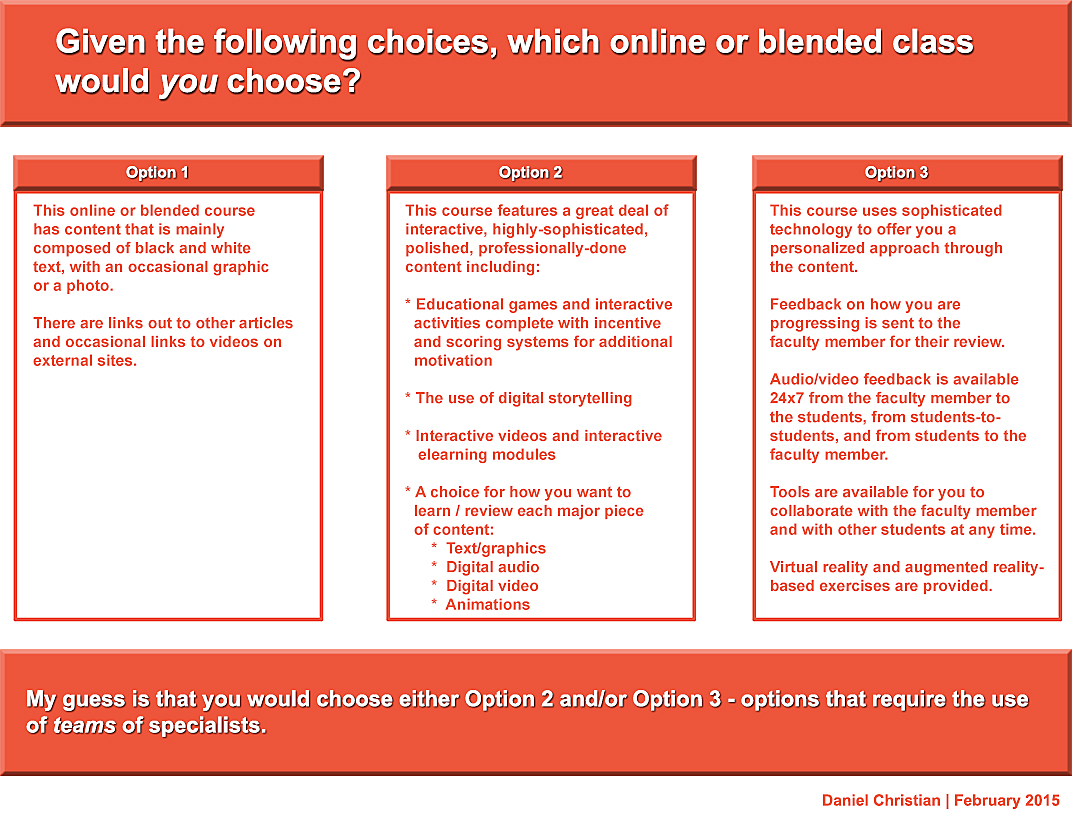
My thanks to Mary Grush at Campus Technology for her continued work in bringing relevant topics and discussions to light — so that our institutions of higher education will continue delivering on their missions well into the future. By doing so, learners will be able to continue to partake of the benefits of attending such institutions. But in order to do so, we must adapt, be responsive, and be willing to experiment. Towards that end, this Q&A with Mary relays some of my thoughts on the need to move more towards a team-based approach.

When you think about it, we need teams whether we’re talking about online learning, hybrid learning or face-to-face learning. In fact, I just came back from an excellent Next Generation Learning Space Conference and it was never so evident to me that you need a team of specialists to design the Next Generation Learning Space and to design/implement pedagogies that take advantage of the new affordances being offered by active learning environments.


DanielSChristian-CampusTechologyMagazine-2-24-15


DanielSChristian-CampusTechologyMagazine2-2-24-15


The Big Web Design Trends for 2015 — from sitepoint.com by Joanna Krenz Kurowska; with thanks to Mr. Tim Pixley for this resource

Excerpt:

When thinking about web design, you must consider the full spectrum of possibilities that the internet presents. Done boldly, designers can push the current limits of human interaction and imagination on a global scale – as is often seen with edgier industries, such as creative agency websites.

In this article, we’ll boil down some of the most prominent web design trends emerging in 2015. It is here that we can find true innovation and new opportunities – a few of which may completely change our understanding of a “modern website”.


8 design trends for 2015 — from istockphoto.com by Rebecca Swift


design-forward-feb-2015


Web design trends that will rule 2015 — from designmodo.com by Tomas Laurinavicius

Excerpt:

Web design is a vibrant and diverse industry that is changing and evolving quickly. Website design is, however, not an end product; it’s an asset in the presentation of a product, connecting people with other people, providing a tool or service.

After reviewing over 500 websites in weekly series of Inspiring Sites of the Week on Despreneur I’ve got a sense of where web design is and where it is going for the next year. In this post I will try to review the current status of web design and predict some trends for 2015.

These are my assumptions and guesses based on my research and experience designing in 2014. Some of these may be right some may be not. If you think there should be something more in this article I’d love to have a discussion with you.


The trends in web design for 2015 [infographic] — from techinfographics.com by by Josipa Štrok

Excerpt:

The way we use the web is changing in line with the growth of technology. Smartphones and tablets have become a major factor which influencing the design of the web. What are the trends in web design for 2015?

If content is king, then the design is the crown. Home page should be more comprehensive. Visitors must get a sense of intuitive and dynamic interaction. Responsive design of website remains still imperative. Every owner who cares for his visitors should have designed a website that includes technology to automatically adjust the content to the devices where they are read. In the future responsive design will adapt to smart TVs and smart watches, not only monitors, smart phones or tablets. Moving page should be vertical because it contributes to an interactive style stories. After all this way scrolling through content is much easier to use on smartphones / tablets than clicking on the navigation from page to page. Forget the shadows, patterns and textures. Style with simple lines and white space is recommended for the coming year.


Web design trends to look out for in 2015 — from by Nathan B. Weller


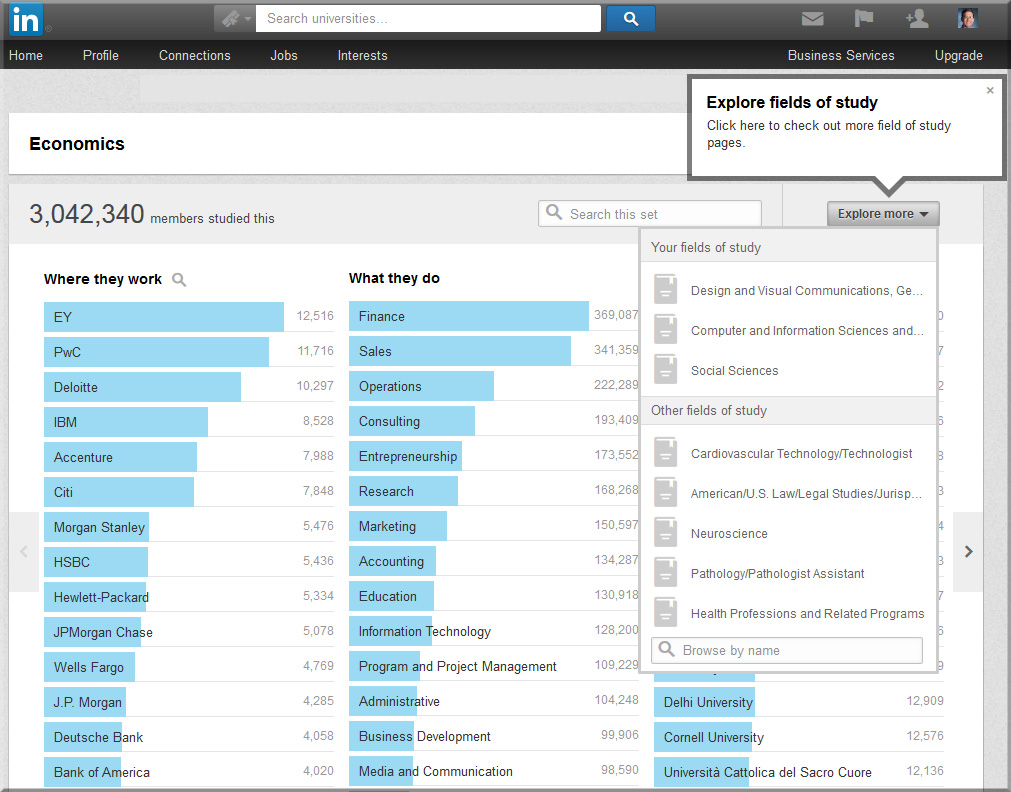
Does Studying Fine Art = Unemployment? Introducing LinkedIn’s Field of Study Explorer — from LinkedIn.com by Kathy Hwang

Excerpt:

[On July 28, 2014], we are pleased to announce a new product – Field of Study Explorer – designed to help students like Candice explore the wide range of careers LinkedIn members have pursued based on what they studied in school.

So let’s explore the validity of this assumption: studying fine art = unemployment by looking at the careers of members who studied Fine & Studio Arts at Universities around the world. Are they all starving artists who live in their parents’ basements?


LinkedInDotCom-July2014-FieldofStudyExplorer


Also see:

The New Rankings? — from insidehighered.com by Charlie Tyson

Excerpt:

Who majored in Slovak language and literature? At least 14 IBM employees, according to LinkedIn.

Late last month LinkedIn unveiled a “field of study explorer.” Enter a field of study – even one as obscure in the U.S. as Slovak – and you’ll see which companies Slovak majors on LinkedIn work for, which fields they work in and where they went to college. You can also search by college, by industry and by location. You can winnow down, if you desire, to find the employee who majored in Slovak at the Open University and worked in Britain after graduation.


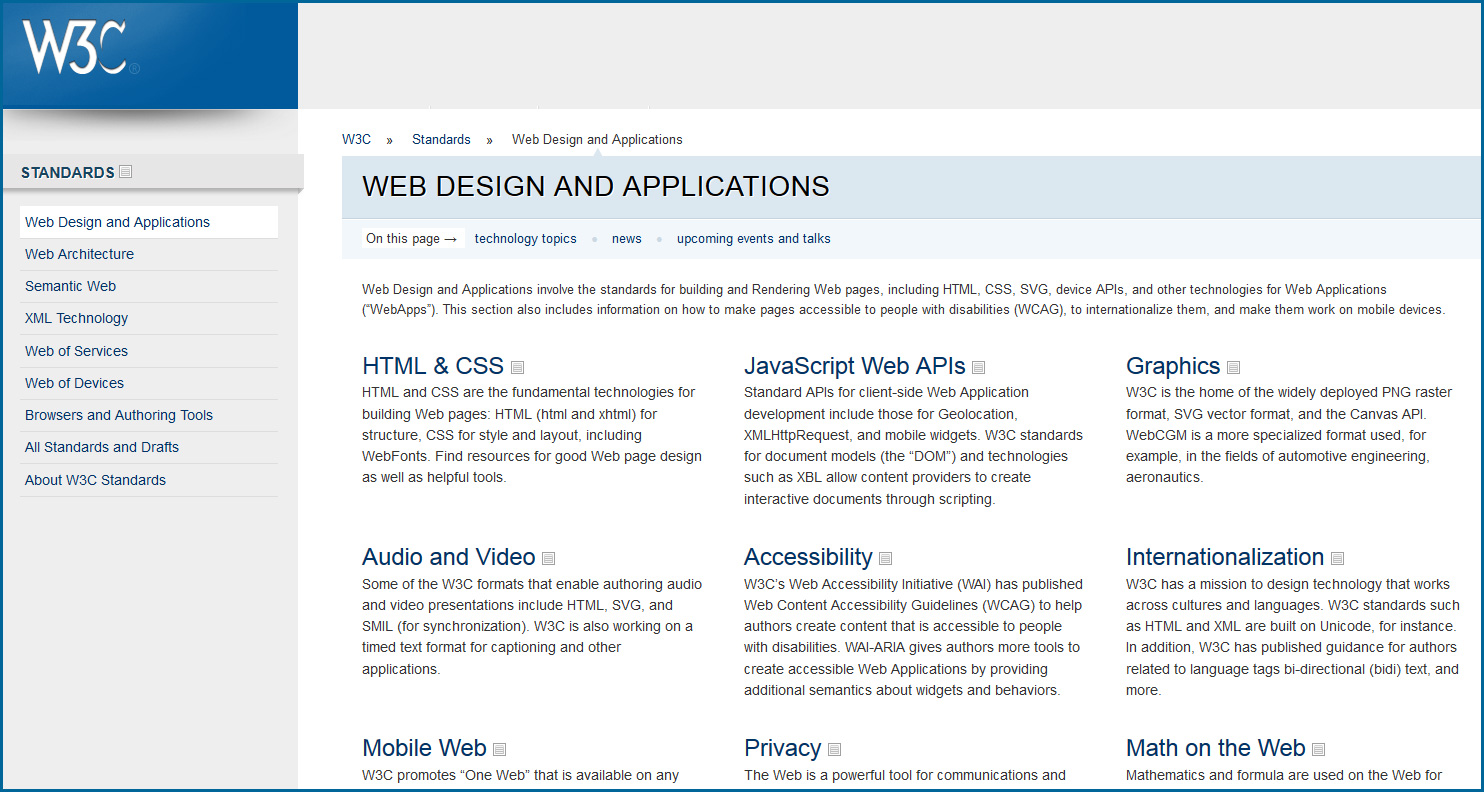
W3C: Web Design & Applications

W3C-WebDesignMarch2014


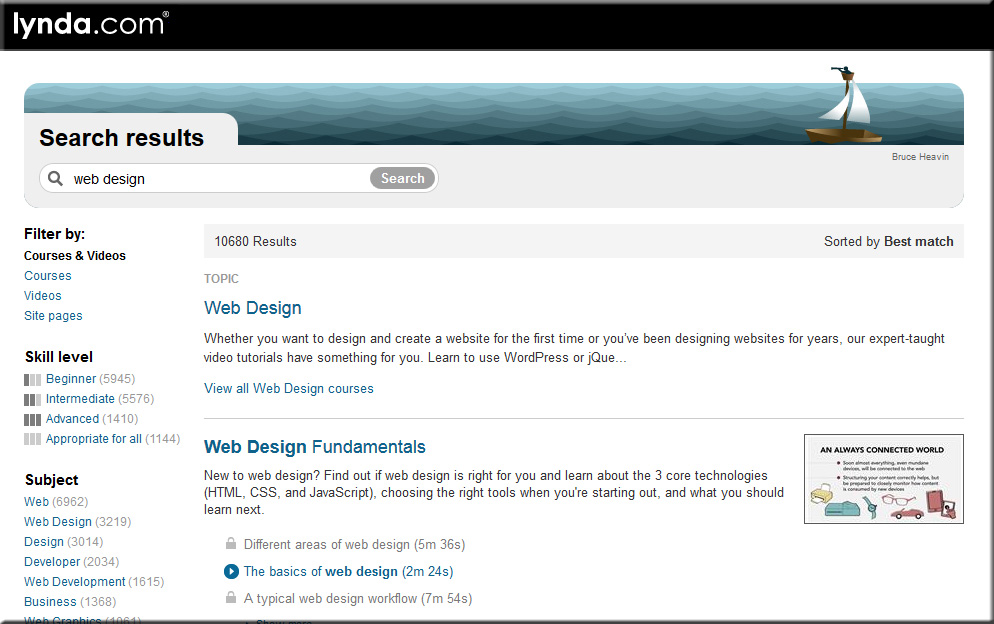
Lynda.com

LyndaDotComWebDesign-March2014


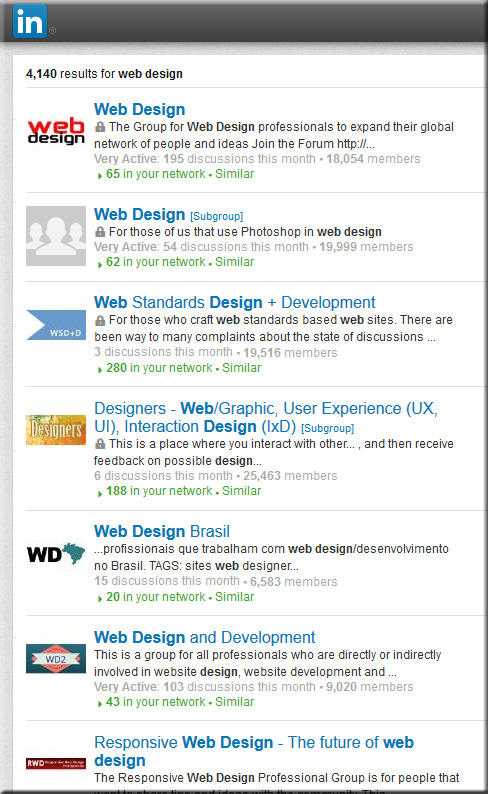
Web Design Groups on LinkedIn.com

LinkedInWebDesignGroups-March2014


Relevant hashtags on Twitter:


Top Designer Google+ Communities You Should Follow — from hongkiat.com by Charnita Fance. Filed in Web Design.

Excerpt:

If you are active on Google+ there are a lot of communities for web designers or UI designers to join. Google+ Communities are like online groups or forums where people can come together to talk about a common hobby, interest or career (such as Design). Only members of a given community can see your posts in their stream. As a designer, this is great because you can share your work and get feedback from thousands of other designers, for free.

In the design communities below, you’ll find lots of great information, freebies, tips and tricks, and personal design work from members. Plus, you can ask for help or offer help to others. Let’s find the perfect Google+ design community for you.


Fresh Resources for Designers and Developers — March 2014 — from hongkiat.com


Infographic: HTML5 vs. native mobile app development [updated] — from kony.com by Dipesh Mukerji — also see his posting: Developing apps with HTML5: benefits and challenges


Responsive e-learning in a Multi-Device World — from elearning-reviews.traineasy.com

Excerpt:

“Day by day, the number of devices, platforms, and browsers that need to work with your site grows. Responsive web design represents a fundamental shift in how we’ll build websites for the decade to come,” says Jeffrey Veen, CEO & Cofounder of Typekit.


New ebook all about web design for Google Glass — from glassalmanac.com by Christian Bullock

Excerpt:

Well that was fast.

As someone who didn’t really know too many people were currently all about ensuring a site’s web design was fit for Google Glass browsing, there’s now an eBook by author Joe Casabona (known for his blog People Reacting to Glass) that’s a guide to web design for Glass.

Pretty cool idea and something I could see as being crucial when Glass launches publicly. I’m sure Glass adoption won’t be as high as tablet or smartphone adoption rates, but as we’re seeing now, it’s necessary for web designers to think of other ways people are interacting with websites aside from normal desktop or laptop computers.


Webmonkey.com


WebDesignerDepot.com


WebDesign.Tutsplus.com


 Addendums on 4/1/14:


Web Development 101: Top Web Development Languages in 2014 — from odesk.com by Yoshitaka Shiotsu

Excerpt:

When it comes to choosing the best web development language for your website, it’s important to remember that there is no single best language.

Instead, a web developer will choose the option that best suits your project, based on the specific functionality or features you want. Which programming languages are most likely to come up in conversation?

An earlier post in this series, “What is Web Development,” described the three parts of web development: client-side scripting, which is a program that runs in a user’s web browser; server-side scripting, which runs on the web server; and database technology, which manages all the information on the server that supports a website.

While there are a couple of basic languages in common use, other languages are used specifically for client-side scripting or server-side scripting.  Here is an overview of the more popular web development languages in use by the industry today.

This is only a fraction of the web development languages used by the industry today, but they are the ones you are most likely to discuss with a web developer.

Addendum on 3/21/14:


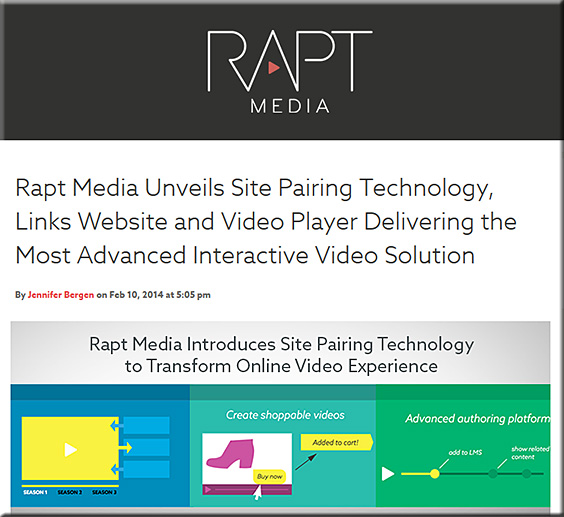
RaptMedia-NewSitePairingTech-Feb2014


Excerpt (emphasis DSC):

Today, we’re thrilled to announce that our patent-pending Site Pairing technology is officially out of beta and into the hands of creatives, marketers, brands, and agencies. Our new Site Pairing technology, which creates a link between your video and your website, allows your creative or content team to quickly and easily build a scalable Interactive Video (IV) framework that enables communication between your videos and your website.

“Online Videos have traditionally been dead ends to brands and marketers,” said Erika Trautman, CEO and co-founder of Rapt Media. “Viewers can’t navigate from them, and often leave a site altogether if the content isn’t exactly what they’re looking for.”

Taking a step back, we see that the website and its embedded media are having a true conversation. “There is nothing that you’ve come to expect on a website, that we can’t duplicate in a video,” said Trautman. “And now the two are talking.”


The 6 simplest web accessibility tests anyone can do — from KarlGroves.com

Excerpt:

To truly understand accessibility and accessible web development requires extensive knowledge of HTML, CSS, JavaScript, the DOM & BOM, accessibility APIs, assistive technologies, and how people with disabilities use computers. I’ve dedicated my career to it and find out the more I know the less I understand.

What about those for whom accessibility isn’t their career choice? What about those who don’t want to know things like the complicated interplay between markup, DOM interfaces, and accessibility API role mappings? What about people who want to know: “How does my website perform for people with people with disabilities?” Here you go. 6 tests that anyone can do without any development knowledge.


60 beautiful examples of websites with full-blown video backgrounds — from hongkiat.com by Nancy Young

.

From DSC:
Yes, you read that right. Video-based backgrounds — motion pictures. Another great example of the convergence that’s been happening with the TV, the telephone, and the computer.


Ten things you should know about WebRTC — from cioinsight.com by Dennis McCafferty

Excerpt:

Don’t you think it would be great if you could engage with customers, employees, and partners accessing voice, video and data-sharing apps on a Web browser without any plug-ins? Thanks to developments with WebRTC technology, this is becoming a reality. To lend greater insight into this topic, Constellation Research Inc. has come out with a recent report, Ten Things CIOs Should Know about WebRTC. In it, author E. Brent Kelly reveals that WebRTC has the potential to take concepts pioneered by programs such as Skype to the next level. Ordinary Web developers will be able to, for example, use basic JavaScript application programming interfaces (APIs) to craft fully functioning voice, video and data-collaboration apps, or embed these capabilities with other apps with just a few lines of code. As a result, CIOs can lead their organizations to greater levels of employee productivity and customer engagement. “WebRTC may prove to be as disruptive to communications and collaboration as the World Wide Web was for information,” says Kelly, a vice president and principal analyst at Constellation.

Watch a replay of today’s Adobe MAX 2013 keynote.
Even if you can’t join us in person, you can still connect with the Adobe community. Watch the Adobe MAX 2013 keynotes live from Nokia Theatre L.A. LIVE. We’ll explore the creative evolution – how to use the latest tools to give shape to ideas, and what are the trends that will shape how you’ll work in the future.

A Creative Evolution
Monday, May 6, 9:30-11:30 a.m. PDT

The process of where and how we create is dramatically changing thanks to major advancements in technology, and there has never been a more exciting time. Join Adobe CEO Shantanu Narayen, Adobe’s SVP and GM of Digital Media David Wadhwani, and a collection of Adobe visionaries across digital photography, web design, illustration, video and more as we unveil brand new creative workflows and capabilities. We’ll take a look at the present and set our sights on the endless possibilities in our creative future.
.

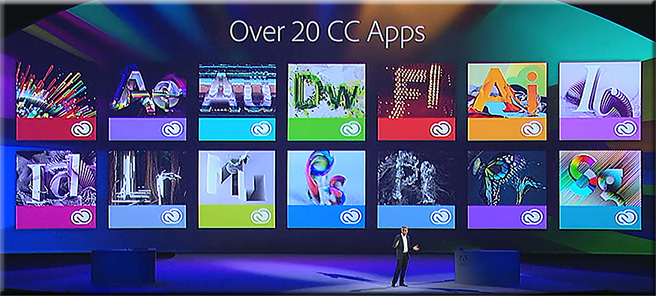
Over20CreativeCloudApps-AdobeMaxMay62013

.

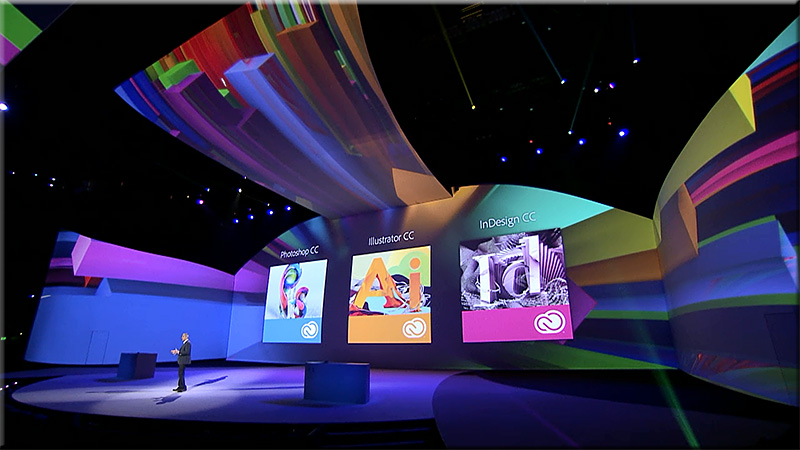
AdobeMax-May62013

.

Join us tomorrow at 10 a.m. PDT to watch the keynote – Community Inspires Creativity – live.

Tagged with:  

The folks needed to create the next generation of learning: Computers can’t touch this. [Christian]

From DSC:
What we need is a major hackathon — or an organization with deep pockets — that can bring together folks from a variety of disciplines including:

  • Subject Matter Experts
  • Instructional Designers
  • Cognitive Psychologists
  • Computer Scientists and/or those exerienced with learning analytics/data mining, Artificial Intelligence (AI)
  • Those gifted in film/media/videography/photography
  • Great storytellers/writers (including writing for transmedia-based learning experiences)
  • Folks who can create engaging, educational games
  • Designers
    • Web
    • Graphic
    • Interface
    • User experience
    • User interaction
    • Those gifted in creating multimedia-based content
  • Musicians
  • Human Computer Interaction (HCI) experts
  • Mobile learning experts
  • Those knowledgeable with second screens/M2M communications
  • Animators
  • Illustrators
  • Social media experts
  • Accessibility experts
  • Researchers
  • Those gifted in creating augmented reality-based apps
  • Legal/copyright experts
  • & others

We need for these specialists to collaborate in order to create the next generation of learning.  Anyone who can bring these skillsets together and experiment with creating materials will have significantly contributed something to the current generations and to future generations! 

And, in the words of M.C. Hammer,  computers “can’t touch this!”  Why? Because “learning is messy!”

What fields did I miss?
Please leave your thoughts and
feedback in the comments section.


10 developer tips to build a responsive website [infographic] — from readwrite.com by Dan Rowinski

Excerpt:

Responsive design is a concept where you build your website once and then format it so it can adapt to any screen size that accesses it. Designers use HTML5 and CSS to build the sites and set parameters so the content will resize itself whether the user is in vertical or horizontal viewing mode, on a tablet, desktop or smartphone or even a screen as large as a television.


Also see:


Tagged with:  
© 2025 | Daniel Christian