How to Design a Hybrid Workplace — from nytimes.com

Excerpt:

But many companies have hatched a postpandemic plan in which employees return to the office for some of the time while mixing in more work from home than before. The appeal of this compromise is clear: Employers hope to give employees the flexibility and focus that come from working at home without sacrificing the in-person connections of the office.

From DSC:
There has been — and likely will continue to be — huge pressure and incentives put on companies like Cisco, Zoom, Microsoft, and others that develop the products and platforms to help people collaborate and communicate over a distance. It will be very interesting to see where these (and other) vendors, products, and platforms are 2-3 years from now! How far will we be down the XR-related routes?

How will those new ways of doing things impact telehealth? Telelegal? Virtual courts? Other?


From DSC:
I read an interesting article out at Inside Higher Ed from the other day:

Rejecting Remote Proctoring — from insidehighered.com by Elizabeth Redden
University of Michigan Dearborn made a universitywide decision to reject remote proctoring and invest in faculty development instead.

At the same time many other colleges were considering whether to employ the technologies, UM Dearborn’s leadership made the choice that eproctoring was unacceptably invasive, at least when it comes to students who hadn’t signed up for that kind of surveillance.

From DSC:
Lower stakes assessments offered with a greater variety of ways to check for mastery. That fits in with what I’m reading about re: the topic of Universal Design for Learning (UDL), which offers:

  • Multiple methods of engagement
  • Multiple methods of representation
  • Multiple methods of action & expression <– to demonstrate what they are learning

It also reduces anxiety — something that’s needed in this period of time.


Improving Digital Inclusion & Accessibility for Those With Learning Disabilities — from inclusionhub.com by Meredith Kreisa
Learning disabilities must be taken into account during the digital design process to ensure digital inclusion and accessibility for the community. This comprehensive guide outlines common learning disabilities, associated difficulties, accessibility barriers and best practices, and more.

“Learning shouldn’t be something only those without disabilities get to do,” explains Seren Davies, a full stack software engineer and accessibility advocate who is dyslexic. “It should be for everyone. By thinking about digital accessibility, we are making sure that everyone who wants to learn can.”
…
“Learning disability” is a broad term used to describe several specific diagnoses. Dyslexia, dyscalculia, dysgraphia, nonverbal learning disorder, and oral/written language disorder and specific reading comprehension deficit are among the most prevalent.

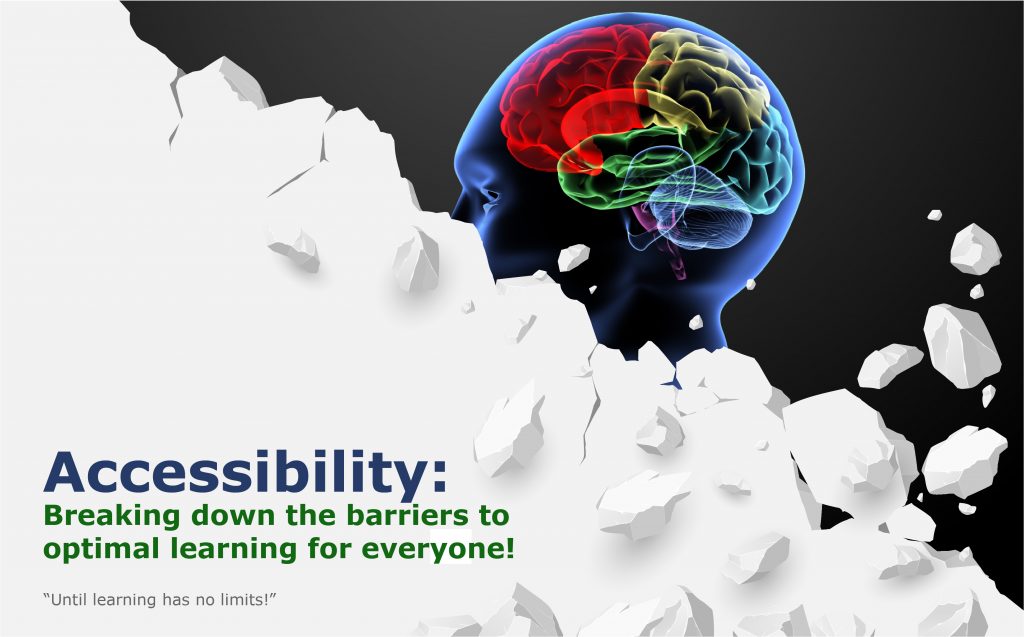
An image of a barrier being torn down -- revealing a human mind behind it. This signifies the need to tear down any existing barriers that might hinder someone's learning experience.


21 Ways to Structure an Online Discussion, Part 1 — from facultyfocus.com by Annie Prud’homme-Généreux
*This is a five-part series. Each Monday, we will be publishing the next consecutive part of the article series.  

Excerpt:

I searched for ways to structure online discussions, and my findings are described in this series of five articles. This first article explores ways to structure a discussion to encourage learners to apply the concepts they have learned. Articles two and three describe discussion structures that help learners explore concepts in greater depth. Article four looks at ways to use discussions for reflection, evaluation, and critique of concepts. The final article investigates ways to foster a greater sense of community by using multimedia and proposes resources for developing new discussion structures.

Below are five ideas where learners search for, recognize, and share concrete examples of a concept, or where they create examples to illustrate a concept. I am sure there are more ways to do it, and I welcome your additions in the comments below.

21 Ways to Structure an Online Discussion, Part Two — from facultyfocus.com by Annie Prud’homme-Généreux

Excerpt:

In this and the next article, I will describe ideas for structuring an online discussion when the goal is for learners to further explore a concept studied in class. I subdivided the ideas into two categories: Some are useful when the goal is for learners to engage in divergent thinking, in other words, when they are generating ideas and expanding the range of solutions or brainstorming (this article).

21 Ways to Structure an Online Discussion, Part Three — from facultyfocus.com by Annie Prud’homme-Généreux

Excerpt:

In this third article, we will explore structures to help learners explore concepts when the goal is convergent thinking, so each learner gains a deeper, richer understanding of a concept and aligns with a common understanding.

In this article, the ideas for structuring an online discussion when the goal is for learners to explore a concept through convergent thinking are:


Nearly Half of Faculty Say Pandemic Changes to Teaching Are Here to Stay — from campustechnology.com by Rhea Kelly

Among the findings:

  • Fifty-one percent of faculty said they feel more positive about online learning today than pre-pandemic. Faculty were most satisfied with how efficiently they were able to communicate with students — but across the board, a majority of faculty were also satisfied with how efficiently the technology worked, how well students learned and how well students engaged in class.
  • Fifty-seven percent of faculty said they feel more positive about digital learning materials than pre-pandemic.
  • Seventy-one percent of faculty reported they make considerable use of digital materials today, compared to 25 percent pre-pandemic. And 81 percent said they expect digital material use to remain the same or increase post-pandemic.
  • Fifty-eight percent reported considerable use of online homework and courseware systems, more than doubling the pre-pandemic share of 22 percent. Seventy-four percent expected the use of those systems to remain the same or increase post-pandemic.
  • Only 8 percent of faculty said they would revert to their pre-pandemic teaching practices after the pandemic is over.

Also see:

Two-thirds of people in the education sector expect to see a continuation of remote work post-pandemic. Sixty-five percent of respondents in education agreed that due to the success of remote collaboration, facilitated by videoconferencing, their organizations are considering a flexible remote working model.


DC: Yet another reason for Universal Design for Learning’s multiple means of presentation/media:

Encourage faculty to presume students are under-connected. Asynchronous, low-bandwidth approaches help give students more flexibility in accessing course content in the face of connectivity challenges.

— as excerpted from campustechnology.com’s article entitled, “4 Ways Institutions Can Meet Students’ Connectivity and Technology Needs“


Reimagining Higher Education: The Post-Covid Classroom — from er.educause.edu by Rob Curtin
As we prepare to return to campus, many of the technologies that helped us simply survive and sustain classroom continuity will become permanently embedded in our educational methods and play a pivotal role in the refinement of practices consistent with an ongoing shift to more student-centered learning.

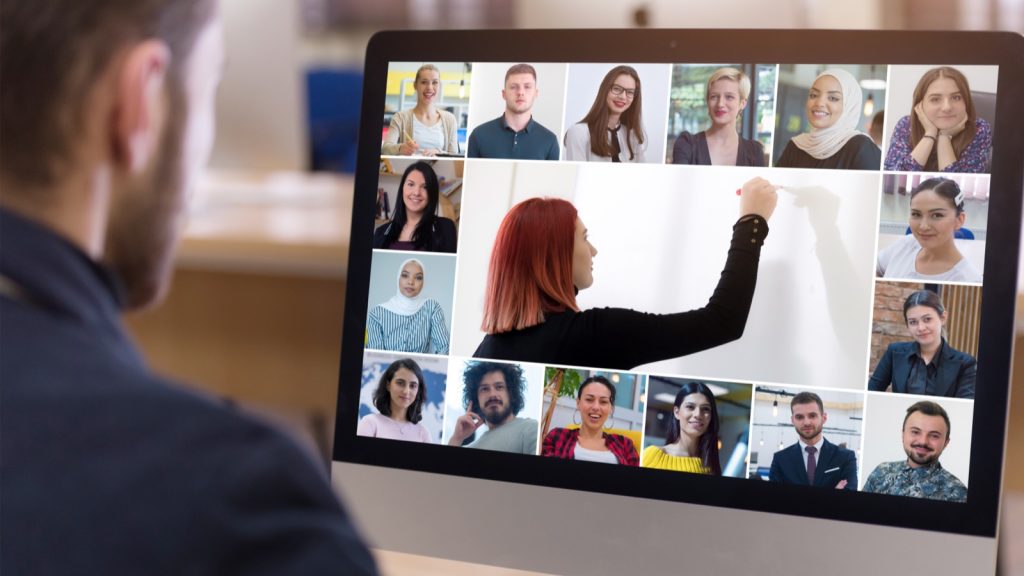
Videoconferencing -- a professor teaching a class of virtual students

Credit: as-artmedia / Shutterstock.com © 2021

As learning practices continue to evolve, new remote learning and collaboration technologies, in concert with pedagogy, will be critical to enabling inclusive, personalized, and engaging hybrid learning experiences to bring students together beyond simple videoconferencing and recording of lectures. 


Adjunct college faculty taking the biggest hit from pandemic job losses — from highereddive.com by Hallie Busta

Dive Brief:

  • Higher education institutions employed 5% fewer adjunct faculty during the current academic year compared to the year before, according to the latest annual data from the College and University Professional Association for Human Resources.
  • All faculty groups experienced job losses during the year, though adjuncts were hit the hardest. The cuts didn’t affect the share of women and people from racial and ethnic minority groups among tenure-track faculty.
  • Salaries for full-time faculty posted the lowest median annual increase since 2010, at less than 1%, as colleges grappled with budget cuts and revenue loss.

From DSC:
And a potentially-relevant item for the future if these trends continue:

How To Pre-Sell Your Online Course And Make Money Before You Launch It — from elearningindustry.com Kathy Alameda
In this article, I’m going to explain why pre-selling your online course is important as an online course creator.


eLearning has improved in the last 7 years… — from elearningindustry.com by Mary Burns
A student in 2014 and a student in 2021 would probably have the same fundamental online learning experience. Yet online learning has changed dramatically in the last 7 years. In my 50th article, I look back at online learning and enumerate 5 drivers that have led to its improvement.

Excerpt:

COVID/remote learning has expanded our understanding of online learning. Teachers are far more adept at using technology and designing with technology to help students learn online. They know which online learning modalities—synchronous or asynchronous—work best with which eLearning platform. Students too have had a year-long internship in online learning—its tools and pedagogies.

COVID has diversified our understanding of online learning. In 2014, when I began writing for eLearning Industry, eLearning meant one thing—a class held in a virtual learning environment or Learning Management System. In 2021, online learning is any learning we do online, whether via free or fee-based subscription services (like Khan Academy and DreamBox, respectively), web conferencing, or Web 2.0 platforms (Edmodo, YouTube channels)—another overlooked candidate for this list.

And COVID has constrained our understanding of online learning. In 2014, when I began writing for eLearning Industry, eLearning was largely asynchronous and done in an LMS. In 2021, for a plurality of teachers and students across the globe, eLearning means one thing: Zoom and it means learning that is live and synchronous.


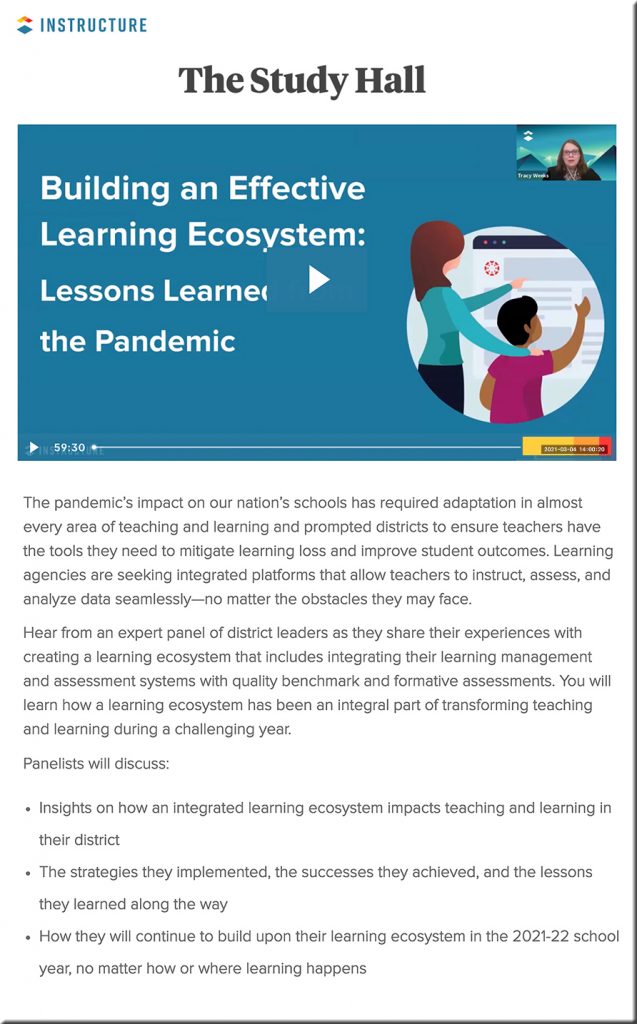
Instructure: Building an Effective Learning Ecosystem — a recorded webinar from instructure.com from 3-4-21 (NOTE: You will need to provide some basic contact information to view it.)

Excerpt:

Hear from an expert panel of district leaders as they share their experiences with creating a learning ecosystem that includes integrating their learning management and assessment systems with quality benchmark and formative assessments. You will learn how a learning ecosystem has been an integral part of transforming teaching and learning during a challenging year.

Webinar from Instructure -- on 3-4-2021 -- Building an effective learning ecosystem


Improved Student Engagement in Higher Education’s Next Normal — from er.educause.edu by Ed Glantz, Chris Gamrat, Lisa Lenze and Jeffrey Bardzell
Five pandemic-introduced innovative teaching adaptations can improve student engagement in the next normal for higher education.

Excerpt (emphasis DSC):

The five teaching enhancements/adaptations discussed above—collaborative technologies for sense-making, student experts in learning and technology, back channels, digital breakout rooms, and supplemental recording—are well positioned to expand the definition of “student engagement” beyond traditional roll call and attendance tracking. Opportunities to include students at a distance have permitted inclusion of students who are reticent to speak publicly, students whose first language is not English, students with disabilities, and students less engaged through “traditional” channels. With these new conceptions of engagement in mind, we are prepared to be more inclusive of all students in the next normal of higher education.


Self-Assessment (emphasis DSC)

Turn each of your learning outcomes or objectives into a question. Then, ask each student to self-score how confident they feel about being able to demonstrate that outcome or task.

Example:
Learning outcome: Students will be able to compare bacteria vs. viruses.

Change it to a question:  How confident are you in comparing bacteria vs. viruses based on today’s lesson?

Now ask students to score their confidence or ability to do this outcome using a simple scale such as:  “1 = I’m not confident that I can do it” to “5 = I am very confident that I can do it.”


If equity is a priority, UDL is a must — from cultofpedagogy.com by Katie Novak

Once you identify the firm goal, ask yourself, “Based on the variability in my class, what barriers may prevent learners from working toward that goal and how can I eliminate those barriers through design?”

Excerpt:

When we design the same learning pathways for all learners, we might tell ourselves we are being fair, but in fact, single pathways are exclusionary.  Beverly Daniel Tatum, author of the critically acclaimed book, Why Are All The Black Kids Sitting Together in the Cafeteria? And Other Conversations About Race, challenges us to focus on impact over intentions. It may not be our intent to exclude our learners, but the reality is that many students do not have opportunities to learn at high levels or to access curriculum and instruction that is accessible, engaging, culturally sustaining, and linguistically appropriate.

Luckily, there is a framework that rejects these one-size-fits-all solutions and empowers educators to proactively design learning experiences so all students can increase their brainpower and accelerate and own their learning. The framework is Universal Design for Learning (UDL).

UDL is a framework for designing learning experiences so students have options for how they learn, what materials they use, and how they demonstrate their learning. 

From DSC:
I put together this graphic as I’m working on a Module (for Canvas) to address the topic of accessibility:

An image of a barrier being torn down -- revealing a human mind behind it. This signifies the need to tear down any existing barriers that might hinder someone's learning experience.
By Daniel Christian March 2021
 

Two items from faculty focus.com by Jenae Cohn, PhD, and Courtney Plotts, PhD:

  1. How to Structure Your Online Class for Inclusion, Part 1 
  2. How to Structure Your Online Class for Inclusion: Two Principles for Fostering Engagement, Part 2 

Excerpt:

A strong sense of community begins with faculty designing and planning for the sense of community in the course. In order to build a strong sense of community within an online course, instructors should start by identifying the type of community they want to create. In other words, what is the common thread that runs through an online course: Inquiry, information giving, information gathering, and/or active listening?

Although not intuitive to all instructors, this question surrounding the idea of a sense of community is imperative for creating cohesion and a sense of belonging to a learning environment. Here are some ways that instructors might start to think about what community might mean for their class context:


Chrome now instantly captions audio and video on the web — from theverge.com by Ian Carlos Campbell
The accessibility feature was previously exclusive to some Pixel and Samsung Galaxy phones

Excerpt:

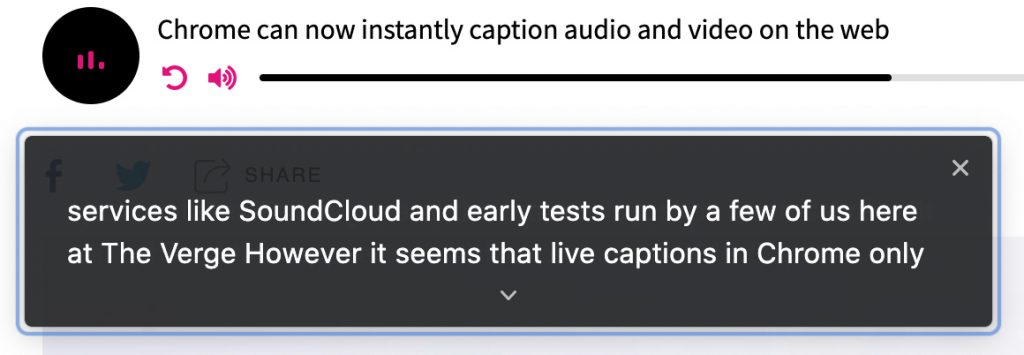
Google is expanding its real-time caption feature, Live Captions, from Pixel phones to anyone using a Chrome browser, as first spotted by XDA Developers. Live Captions uses machine learning to spontaneously create captions for videos or audio where none existed before, and making the web that much more accessible for anyone who’s deaf or hard of hearing.
…
Chrome’s Live Captions worked on YouTube videos, Twitch streams, podcast players, and even music streaming services like SoundCloud in early tests run by a few of us here at The Verge. Google also says Live Captions will work with audio and video files stored on your hard drive if they’re opened in Chrome. However, Live Captions in Chrome only work in English, which is also the case on mobile.


Chrome now instantly captions audio and video on the web -- this is a screen capture showing the words being said in a digital audio-based file

 
© 2025 | Daniel Christian