Artificial Intelligence in Vocational Education — from leonfurze.com by Leon Furze

The vocational education sector is incredibly diverse, covering everything from trades like building and construction, electrical, plumbing and automotive through to allied health, childcare, education, the creative arts and the technology industry. In Canberra, we heard from people representing every corner of the industry, including education, retail, tourism, finance and digital technologies. Every one of these industries is being impacted by the current AI boom.

A theme of the day was that whilst the vocational education sector is seen as a slow-moving beast with its own peculiar red tape, it is still possible to respond to emerging technologies like artificial intelligence, and there’s an imperative to do so.

Coming back to GenAI for small business owners, a qualified plumber running their own business, either as a solo operator or as manager of a team, probably doesn’t have many opportunities to keep up to date with the rapid developments of digital technologies. They’re far too busy doing their job.

So vocational education and training can be an initial space to develop some skills and understanding of the technology in a way which can be beneficial for managing that day-to-day job.


And speaking of the trade schools/vocational world…

Social media opens a window to traditional trades for young workers — from washingtonpost.com by Taylor Telford; this is a gifted article
Worker influencers are showing what life is like in fields such as construction, plumbing and manufacturing. Trade schools are trying to make the most of it.

Social media is increasingly becoming a destination for a new generation to learn about skilled trades — at a time when many have grown skeptical about the cost of college and the promise of white-collar jobs. These posts offer authentic insight as workers talk openly about everything from their favorite workwear to safety and payday routines.

The exposure is also changing the game for trade schools and employers in such industries as manufacturing and construction, which have long struggled to attract workers. Now, some are evolving their recruiting tactics by wading into content creation after decades of relying largely on word of mouth.


Firefly adds new video capabilities, industry leading AI models, and Generate Sound Effects feature — from blog.adobe.com

Today, we’re introducing powerful enhancements to our Firefly Video Model, including improved motion fidelity and advanced video controls that will accelerate your workflows and provide the precision and style you need to elevate your storytelling. We are also adding new generative AI partner models within Generate Video on Firefly, giving you the power to choose which model works best for your creative needs across image, video and sound.

Plus, our new workflow tools put you in control of your video’s composition and style. You can now layer in custom-generated sound effects right inside the Firefly web app — and start experimenting with AI-powered avatar-led videos.

Generate Sound Effects (beta)
Sound is a powerful storytelling tool that adds emotion and depth to your videos. Generate Sound Effects (beta) makes it easy to create custom sounds, like a lion’s roar or ambient nature sounds, that enhance your visuals. And like our other Firefly generative AI models, Generate Sound Effects (beta) is commercially safe, so you can create with confidence.

Just type a simple text prompt to generate the sound effect you need. Want even more control? Use your voice to guide the timing and intensity of the sound. Firefly listens to the energy and rhythm of your voice to place sound effects precisely where they belong — matching the action in your video with cinematic timing.


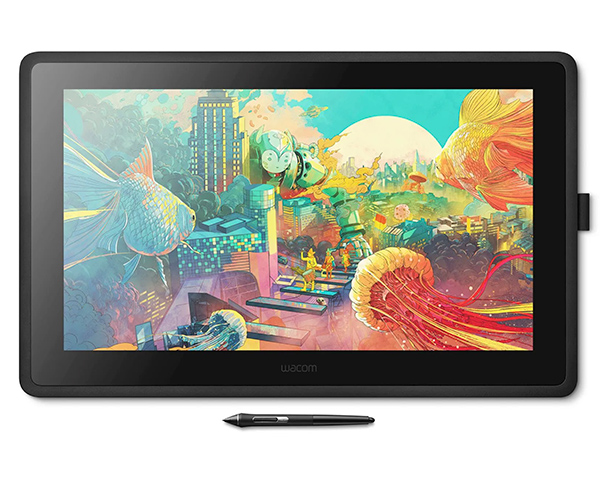
The No Bulls**t Guide To Drawing Tablets — from booooooom.com

SO WHICH DEVICE SHOULD YOU BUY?

If you’re anything like me, the answer is an iPad AND a drawing display. I heavily rely on both my desktop apps and Procreate, so limiting myself to only one device doesn’t cut it for my creative workflow.

However, it all comes down to personal preference and understanding which apps you rely on, whether portability is essential, how vital ergonomics are, and ultimately what you can afford. Once you answer those questions, everything falls into place.


Getting (and Keeping) Early Learners’ Attention — from edutopia.org by Heather Sanderell
These ideas for lesson hooks—like using songs, video clips, and picture walks—can motivate young students to focus on learning.

How do you grasp and maintain the attention of a room full of wide-eyed students with varying interests and abilities? Do you use visuals and games or interactive activities? Do you use art and sports and music or sounds? The answer is yes, to all!

When trying to keep the attention of your learners, it’s important to stimulate their senses and pique their diverse interests. Educational theorist and researcher Robert Gagné devised his nine events of instructional design, which include grabbing learners’ attention with a lesson hook. This is done first to set the tone for the remainder of the lesson.


3 Ways to Help Students Overcome the Forgetting Curve — from edutopia.org  by Cathleen Beachboard
Our brains are wired to forget things unless we take active steps to remember. Here’s how you can help students hold on to what they learn.

You teach a lesson that lights up the room. Students are nodding and hands are flying up, and afterward you walk out thinking, “They got it. They really got it.”

And then, the next week, you ask a simple review question—and the room falls silent.

If that situation has ever made you question your ability to teach, take heart: You’re not failing, you’re simply facing the forgetting curve. Understanding why students forget—and how we can help them remember—can transform not just our lessons but our students’ futures.

The good news? You don’t have to overhaul your curriculum to beat the forgetting curve. You just need three small, powerful shifts in how you teach.

From DSC:
Along these same lines, also see:

.


7 Nature Experiments to Spark Student Curiosity — from edutopia.org by Donna Phillips
Encourage your students to ask questions about and explore the world around them with these hands-on lessons.

Children are natural scientists—they ask big questions, notice tiny details, and learn best through hands-on exploration. That’s why nature experiments are a classroom staple for me. From growing seeds to using the sun’s energy, students don’t just learn science, they experience it. Here are my favorite go-to nature experiments that spark curiosity.


Uplimit raises stakes in corporate learning with suite of AI agents that can train thousands of employees simultaneously — from venturebeat.com by Michael Nuñez|

Uplimit unveiled a suite of AI-powered learning agents today designed to help companies rapidly upskill employees while dramatically reducing administrative burdens traditionally associated with corporate training.

The San Francisco-based company announced three sets of purpose-built AI agents that promise to change how enterprises approach learning and development: skill-building agents, program management agents, and teaching assistant agents. The technology aims to address the growing skills gap as AI advances faster than most workforces can adapt.

“There is an unprecedented need for continuous learning—at a scale and speed traditional systems were never built to handle,” said Julia Stiglitz, CEO and co-founder of Uplimit, in an interview with VentureBeat. “The companies best positioned to thrive aren’t choosing between AI and their people—they’re investing in both.”


Introducing Claude for Education — from anthropic.com

Today we’re launching Claude for Education, a specialized version of Claude tailored for higher education institutions. This initiative equips universities to develop and implement AI-enabled approaches across teaching, learning, and administration—ensuring educators and students play a key role in actively shaping AI’s role in society.

As part of announcing Claude for Education, we’re introducing:

  1. Learning mode: A new Claude experience that guides students’ reasoning process rather than providing answers, helping develop critical thinking skills
  2. University-wide Claude availability: Full campus access agreements with Northeastern University, London School of Economics and Political Science (LSE), and Champlain College, making Claude available to all students
  3. Academic partnerships: Joining Internet2 and working with Instructure to embed AI into teaching & learning with Canvas LMS
  4. Student programs: A new Claude Campus Ambassadors program along with an initiative offering API credits for student projects

A comment on this from The Rundown AI:

Why it matters: Education continues to grapple with AI, but Anthropic is flipping the script by making the tech a partner in developing critical thinking rather than an answer engine. While the controversy over its use likely isn’t going away, this generation of students will have access to the most personalized, high-quality learning tools ever.


Should College Graduates Be AI Literate? — from chronicle.com by Beth McMurtrie (behind a paywall)
More institutions are saying yes. Persuading professors is only the first barrier they face.

Last fall one of Jacqueline Fajardo’s students came to her office, eager to tell her about an AI tool that was helping him learn general chemistry. Had she heard of Google NotebookLM? He had been using it for half a semester in her honors course. He confidently showed her how he could type in the learning outcomes she posted for each class and the tool would produce explanations and study guides. It even created a podcast based on an academic paper he had uploaded. He did not feel it was important to take detailed notes in class because the AI tool was able to summarize the key points of her lectures.


Showing Up for the Future: Why Educators Can’t Sit Out the AI Conversation — from marcwatkins.substack.com with a guest post from Lew Ludwig

The Risk of Disengagement
Let’s be honest: most of us aren’t jumping headfirst into AI. At many of our institutions, it’s not a gold rush—it’s a quiet standoff. But the group I worry most about isn’t the early adopters. It’s the faculty who’ve decided to opt out altogether.

That choice often comes from a place of care. Concerns about data privacy, climate impact, exploitative labor, and the ethics of using large language models are real—and important. But choosing not to engage at all, even on ethical grounds, doesn’t remove us from the system. It just removes our voices from the conversation.

And without those voices, we risk letting others—those with very different priorities—make the decisions that shape what AI looks like in our classrooms, on our campuses, and in our broader culture of learning.


Turbocharge Your Professional Development with AI — from learningguild.com by Dr. RK Prasad

You’ve just mastered a few new eLearning authoring tools, and now AI is knocking on the door, offering to do your job faster, smarter, and without needing coffee breaks. Should you be worried? Or excited?

If you’re a Learning and Development (L&D) professional today, AI is more than just a buzzword—it’s transforming the way we design, deliver, and measure corporate training. But here’s the good news: AI isn’t here to replace you. It’s here to make you better at what you do.

The challenge is to harness its potential to build digital-ready talent, not just within your organization but within yourself.

Let’s explore how AI is reshaping L&D strategies and how you can leverage it for professional development.


5 Recent AI Notables — from automatedteach.com by Graham Clay

1. OpenAI’s New Image Generator
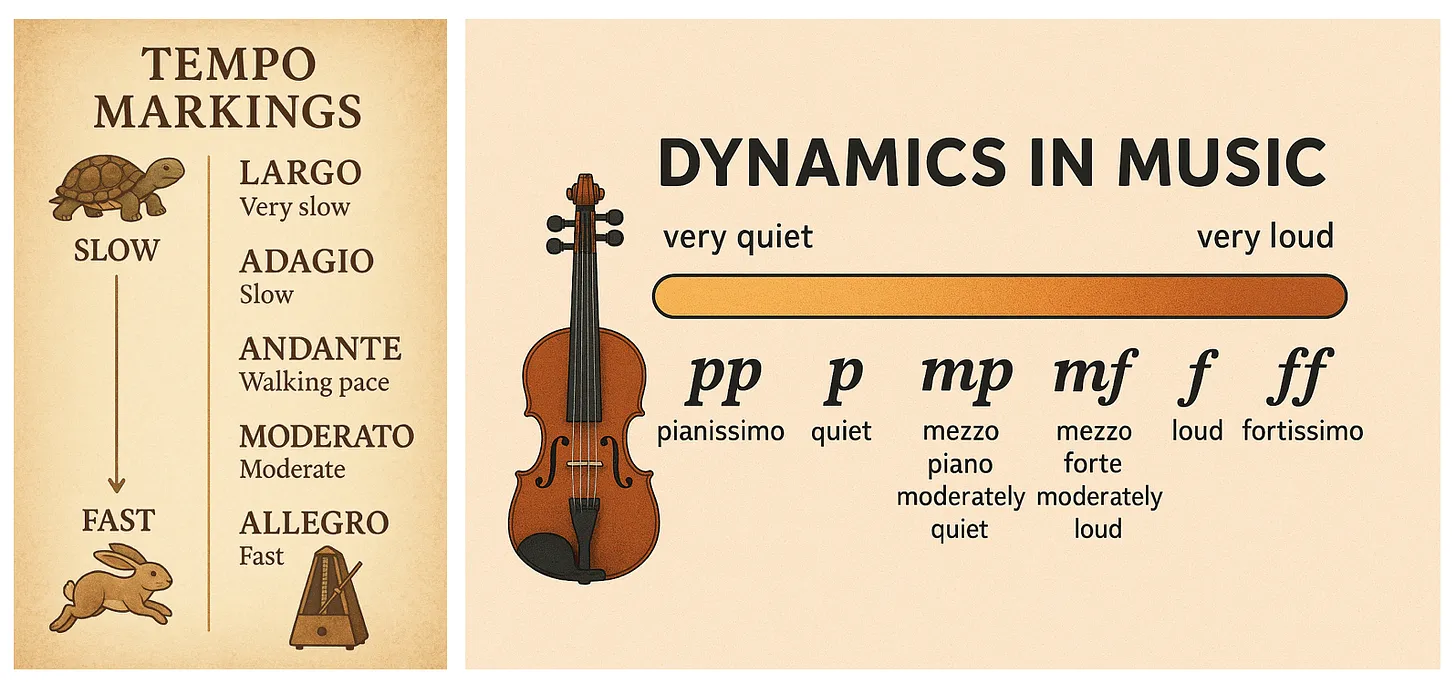
What Happened: OpenAI integrated a much more powerful image generator directly into GPT-4o, making it the default image creator in ChatGPT. Unlike previous image models, this one excels at accurately rendering text in images, precise visualization of diagrams/charts, and multi-turn image refinement through conversation.

Why It’s Big: For educators, this represents a significant advancement in creating educational visuals, infographics, diagrams, and other instructional materials with unprecedented accuracy and control. It’s not perfect, but you can now quickly generate custom illustrations that accurately display mathematical equations, chemical formulas, or process workflows — previously a significant hurdle in digital content creation — without requiring graphic design expertise or expensive software. This capability dramatically reduces the time between conceptualizing a visual aid and implementing it in course materials.
.


The 4 AI modes that will supercharge your workflow — from aiwithallie.beehiiv.com by Allie K. Miller
The framework most people and companies won’t discover until 2026


It’s the end of work as we knew it
and I feel…

powerless to fight the technology that we pioneered
nostalgic for a world that moved on without us
after decades of paying our dues
for a payday that never came
…so yeah
not exactly fine.


The Gen X Career Meltdown — from nytimes.com by Steeven Kurutz (DSC: This is a gifted article for you)
Just when they should be at their peak, experienced workers in creative fields find that their skills are all but obsolete.

If you entered media or image-making in the ’90s — magazine publishing, newspaper journalism, photography, graphic design, advertising, music, film, TV — there’s a good chance that you are now doing something else for work. That’s because those industries have shrunk or transformed themselves radically, shutting out those whose skills were once in high demand.

“I am having conversations every day with people whose careers are sort of over,” said Chris Wilcha, a 53-year-old film and TV director in Los Angeles.

Talk with people in their late 40s and 50s who once imagined they would be able to achieve great heights — or at least a solid career while flexing their creative muscles — and you are likely to hear about the photographer whose work dried up, the designer who can’t get hired or the magazine journalist who isn’t doing much of anything.

In the wake of the influencers comes another threat, artificial intelligence, which seems likely to replace many of the remaining Gen X copywriters, photographers and designers. By 2030, ad agencies in the United States will lose 32,000 jobs, or 7.5 percent of the industry’s work force, to the technology, according to the research firm Forrester.


From DSC:
This article reminds me of how tough it is to navigate change in our lives. For me, it was often due to the fact that I was working with technologies. Being a technologist can be difficult, especially as one gets older and faces age discrimination in a variety of industries. You need to pick the right technologies and the directions that will last (for me it was email, videoconferencing, the Internet, online-based education/training, discovering/implementing instructional technologies, and becoming a futurist).

For you younger folks out there — especially students within K-16 — aim to develop a perspective and a skillset that is all about adapting to change. You will likely need to reinvent yourself and/or pick up new skills over your working years. You are most assuredly required to be a lifelong learner now. That’s why I have been pushing for school systems to be more concerned with providing more choice and control to students — so that students actually like school and enjoy learning about new things.


7 ways to use ChatGPT’s new image AI — from wondertools.substack.com by Jeremy Caplan
Transform your ideas into strong visuals

7 ways to use ChatGPT’s new image AI

  • Cartoons
  • Infographics
  • Posters
  • …plus several more


From DSC:
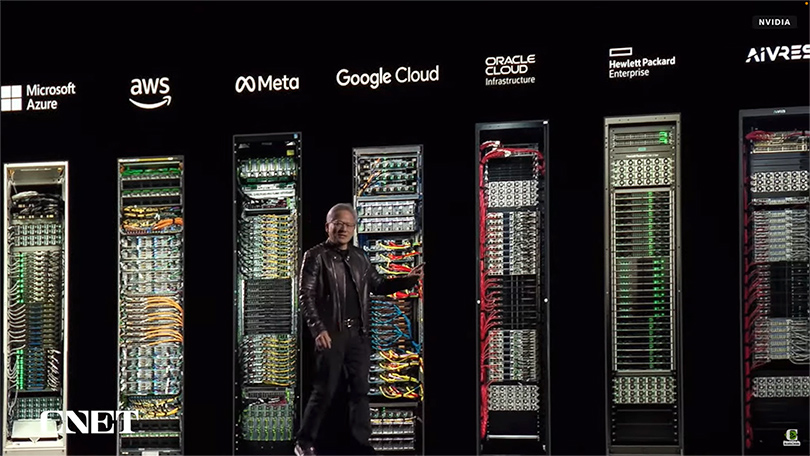
Look out Google, Amazon, and others! Nvidia is putting the pedal to the metal in terms of being innovative and visionary! They are leaving the likes of Apple in the dust.

The top talent out there is likely to go to Nvidia for a while. Engineers, programmers/software architects, network architects, product designers, data specialists, AI researchers, developers of robotics and autonomous vehicles, R&D specialists, computer vision specialists, natural language processing experts, and many more types of positions will be flocking to Nvidia to work for a company that has already changed the world and will likely continue to do so for years to come. 


NVIDIA’s AI Superbowl — from theneurondaily.com by Noah and Grant
PLUS: Prompt tips to make AI writing more natural

That’s despite a flood of new announcements (here’s a 16 min video recap), which included:

  1. A new architecture for massive AI data centers (now called “AI factories”).
  2. A physics engine for robot training built with Disney and DeepMind.
  3. partnership with GM to develop next-gen vehicles, factories and robots.
  4. A new Blackwell chip with “Dynamo” software that makes AI reasoning 40x faster than previous generations.
  5. A new “Rubin” chip slated for 2026 and a “Feynman” chip set for 2028.

For enterprises, NVIDIA unveiled DGX Spark and DGX Station—Jensen’s vision of AI-era computing, bringing NVIDIA’s powerful Blackwell chip directly to your desk.


Nvidia Bets Big on Synthetic Data — from wired.com by Lauren Goode
Nvidia has acquired synthetic data startup Gretel to bolster the AI training data used by the chip maker’s customers and developers.


Nvidia, xAI to Join BlackRock and Microsoft’s $30 Billion AI Infrastructure Fund — from investopedia.com by Aaron McDade
Nvidia and xAI are joining BlackRock and Microsoft in an AI infrastructure group seeking $30 billion in funding. The group was first announced in September as BlackRock and Microsoft sought to fund new data centers to power AI products.


Nvidia CEO Jensen Huang says we’ll soon see 1 million GPU data centers visible from space — from finance.yahoo.com by Daniel Howley
Nvidia CEO Jensen Huang says the company is preparing for 1 million GPU data centers.


Nvidia stock stems losses as GTC leaves Wall Street analysts ‘comfortable with long term AI demand’ — from finance.yahoo.com by Laura Bratton
Nvidia stock reversed direction after a two-day slide that saw shares lose 5% as the AI chipmaker’s annual GTC event failed to excite investors amid a broader market downturn.


Microsoft, Google, and Oracle Deepen Nvidia Partnerships. This Stock Got the Biggest GTC Boost. — from barrons.com by Adam Clark and Elsa Ohlen


The 4 Big Surprises from Nvidia’s ‘Super Bowl of AI’ GTC Keynote — from barrons.com by Tae Kim; behind a paywall

AI Super Bowl. Hi everyone. This week, 20,000 engineers, scientists, industry executives, and yours truly descended upon San Jose, Calif. for Nvidia’s annual GTC developers’ conference, which has been dubbed the “Super Bowl of AI.”


Half A Million Students Given ChatGPT As CSU System Makes AI History — from forbes.com by Dan Fitzpatrick

The California State University system has partnered with OpenAI to launch the largest deployment of AI in higher education to date.

The CSU system, which serves nearly 500,000 students across 23 campuses, has announced plans to integrate ChatGPT Edu, an education-focused version of OpenAI’s chatbot, into its curriculum and operations. The rollout, which includes tens of thousands of faculty and staff, represents the most significant AI deployment within a single educational institution globally.

We’re still in the early stages of AI adoption in education, and it is critical that the entire ecosystem—education systems, technologists, educators, and governments—work together to ensure that all students globally have access to AI and develop the skills to use it responsibly

Leah Belsky, VP and general manager of education at OpenAI.


HOW educators can use GenAI – where to start and how to progress — from aliciabankhofer.substack.com by Alicia Bankhofer
Part of 3 of my series: Teaching and Learning in the AI Age

As you read through these use cases, you’ll notice that each one addresses multiple tasks from our list above.

1. Researching a topic for a lesson
2. Creating Tasks For Practice
3. Creating Sample Answers
4. Generating Ideas
5. Designing Lesson Plans
6. Creating Tests
7. Using AI in Virtual Classrooms
8. Creating Images
9. Creating worksheets
10. Correcting and Feedback


The Best of AI 2024: Top Winners Across 9 Categories — from aiwithallie.beehiiv.com by Allie Miller
2025 will be our weirdest year in AI yet. Read this so you’re more prepared.


Top AI Tools of 2024 — from ai-supremacy.com by Michael Spencer (behind a paywall)
Which AI tools stood out for me in 2024? My list.

Memorable AI Tools of 2024
Catergories included:

  • Useful
  • Popular
  • Captures the zeighest of AI product innovation
  • Fun to try
  • Personally satisfying
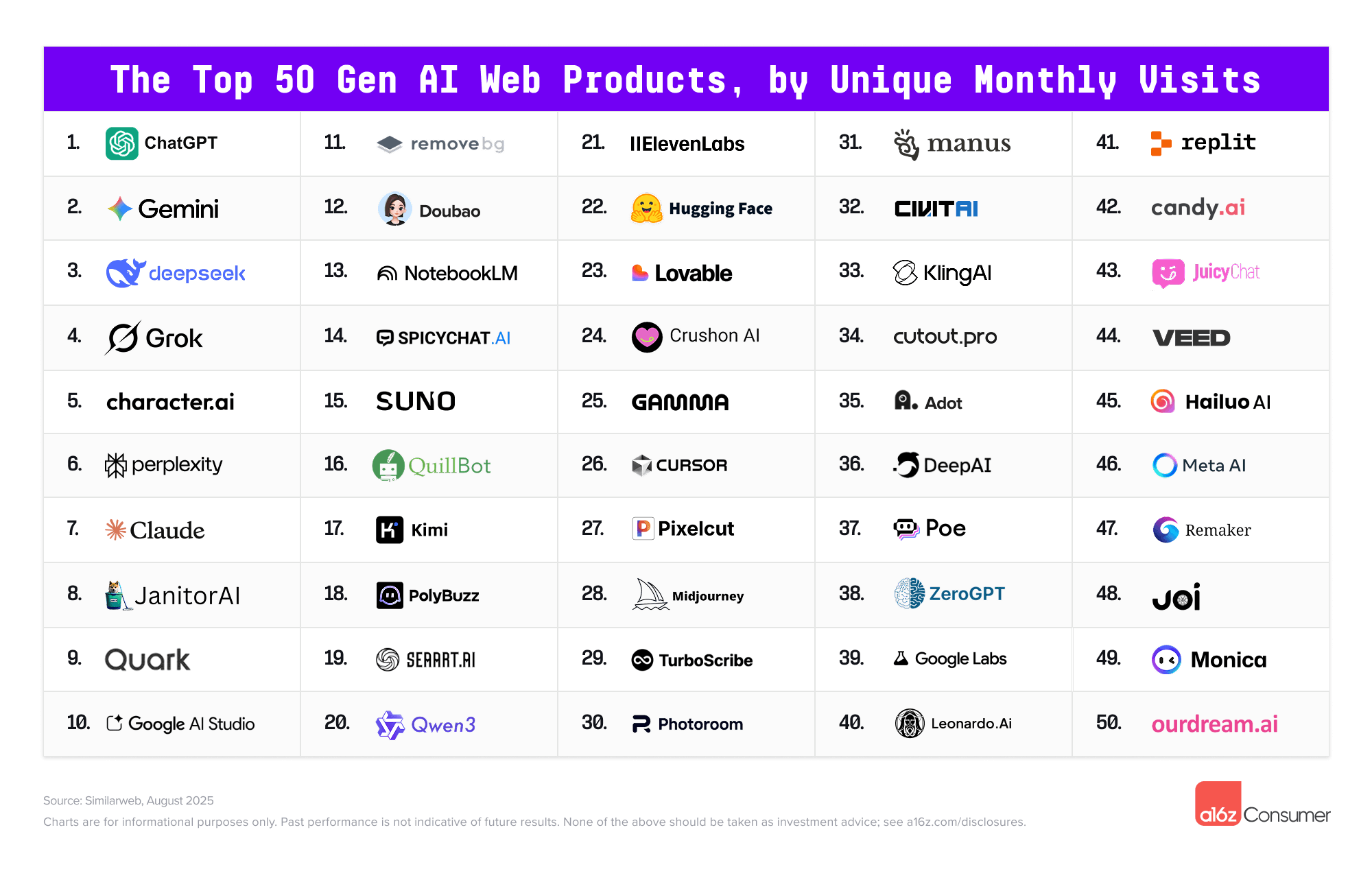
  1. NotebookLM
  2. Perplexity
  3. Claude

New “best” AI tool? Really? — from theneurondaily.com by Noah and Grant
PLUS: A free workaround to the “best” new AI…

What is Google’s Deep Research tool, and is it really “the best” AI research tool out there?

Here’s how it works: Think of Deep Research as a research team that can simultaneously analyze 50+ websites, compile findings, and create comprehensive reports—complete with citations.

Unlike asking ChatGPT to research for you, Deep Research shows you its research plan before executing, letting you edit the approach to get exactly what you need.

It’s currently free for the first month (though it’ll eventually be $20/month) when bundled with Gemini Advanced. Then again, Perplexity is always free…just saying.

We couldn’t just take J-Cal’s word for it, so we rounded up some other takes:

Our take: We then compared Perplexity, ChatGPT Search, and Deep Research (which we’re calling DR, or “The Docta” for short) on robot capabilities from CES revealed:


An excerpt from today’s Morning Edition from Bloomberg

Global banks will cut as many as 200,000 jobs in the next three to five years—a net 3% of the workforce—as AI takes on more tasks, according to a Bloomberg Intelligence survey. Back, middle office and operations are most at risk. A reminder that Citi said last year that AI is likely to replace more jobs in banking than in any other sector. JPMorgan had a more optimistic view (from an employee perspective, at any rate), saying its AI rollout has augmented, not replaced, jobs so far.


Introducing the 2025 Wonder Media Calendar for tweens, teens, and their families/households. Designed by Sue Ellen Christian and her students in her Global Media Literacy class (in the fall 2024 semester at Western Michigan University), the calendar’s purpose is to help people create a new year filled with skills and smart decisions about their media use. This calendar is part of the ongoing Wonder Media Library.com project that includes videos, lesson plans, games, songs and more. The website is funded by a generous grant from the Institute of Museum and Library Services, in partnership with Western Michigan University and the Library of Michigan.


Best of 2024 — from wondertools.substack.com by Jeremy Caplan
12 of my favorites this year

I tested hundreds of new tools this year. Many were duplicative. A few stuck with me because they’re so useful. The dozen noted below are helping me mine insights from notes, summarize meetings, design visuals— even code a little, without being a developer. You can start using any of these in minutes — no big budget or prompt engineering PhD required.


Where to start with AI agents: An introduction for COOs — from fortune.com by Ganesh Ayyar

Picture your enterprise as a living ecosystem, where surging market demand instantly informs staffing decisions, where a new vendor’s onboarding optimizes your emissions metrics, where rising customer engagement reveals product opportunities. Now imagine if your systems could see these connections too! This is the promise of AI agents — an intelligent network that thinks, learns, and works across your entire enterprise.

Today, organizations operate in artificial silos. Tomorrow, they could be fluid and responsive. The transformation has already begun. The question is: will your company lead it?

The journey to agent-enabled operations starts with clarity on business objectives. Leaders should begin by mapping their business’s critical processes. The most pressing opportunities often lie where cross-functional handoffs create friction or where high-value activities are slowed by system fragmentation. These pain points become the natural starting points for your agent deployment strategy.


Create podcasts in minutes — from elevenlabs.io by Eleven Labs
Now anyone can be a podcast producer


Top AI tools for business — from theneuron.ai


This week in AI: 3D from images, video tools, and more — from heatherbcooper.substack.com by Heather Cooper
From 3D worlds to consistent characters, explore this week’s AI trends

Another busy AI news week, so I organized it into categories:

  • Image to 3D
  • AI Video
  • AI Image Models & Tools
  • AI Assistants / LLMs
  • AI Creative Workflow: Luma AI Boards

Want to speak Italian? Microsoft AI can make it sound like you do. — this is a gifted article from The Washington Post;
A new AI-powered interpreter is expected to simulate speakers’ voices in different languages during Microsoft Teams meetings.

Artificial intelligence has already proved that it can sound like a human, impersonate individuals and even produce recordings of someone speaking different languages. Now, a new feature from Microsoft will allow video meeting attendees to hear speakers “talk” in a different language with help from AI.


What Is Agentic AI?  — from blogs.nvidia.com by Erik Pounds
Agentic AI uses sophisticated reasoning and iterative planning to autonomously solve complex, multi-step problems.

The next frontier of artificial intelligence is agentic AI, which uses sophisticated reasoning and iterative planning to autonomously solve complex, multi-step problems. And it’s set to enhance productivity and operations across industries.

Agentic AI systems ingest vast amounts of data from multiple sources to independently analyze challenges, develop strategies and execute tasks like supply chain optimization, cybersecurity vulnerability analysis and helping doctors with time-consuming tasks.


© 2025 | Daniel Christian