Jane’s Top 10 Tools for Learning 2016 — from c4lpt.co.uk by Jane Hart

Excerpt:

On Friday 23rd September, voting closes in the 10th Annual Survey of Learning Tool  – so it’s not too late to vote!

You can find out how to do so HERE – essentially it involves sharing your own Top 10 Tools for Learning – privately or publicly.

Anyway, as we reach the final few days of voting in 2016, I thought it was time to share my personal top 10 tools – so here they are:


Also see:


From DSC:
I’m honored to have made this year’s Dean’s List at EdTechMagazine.com.  Check out the other blogs listed there — as there are many great streams of content flowing by!  My thanks to Tara Buck, D. Frank Smith, Meg Conlan, and the other staff members at EdTechMagazine.com for their great work and for helping build the future of higher education!


2016DeansList-EdTechMagazine


From DSC:
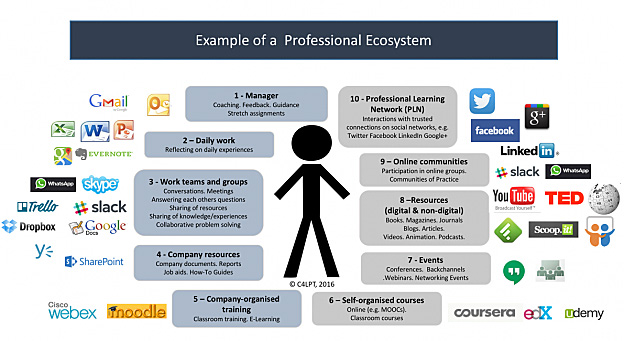
The following graphic from “The Future of Work and Learning 1: The Professional Ecosystem” by Jane Hart is a wonderful picture of a learning ecosystem:

profecosystem-Jane-Hart-May2016


Note that such an ecosystem involves people, tools, processes and more — and is constantly changing. As Jane comments:

But the point to make very clear is that a PES is not a prescribed entity – so everyone’s PES will be different. It is also not a fixed entity – organisational elements will change as the individual changes jobs, and personal elements will change as the individual adds (or removes) external people, content and tools in order to maintain an ecosystem that best fits their needs.

Jane also mentions the concept of flows of new ideas and resources. I call these streams of content, and we need to both contribute items to these streams as well as take things from them.


StreamsOfContent-DSC


So while Jane and I are on the same page on the vast majority  of these concepts (and I would add Harold Jarche to this picture as well, whom Jane mentions with his Personal Knowledge Mastery (PKM) process), Jane broadens the scope of what I normally refer to as a learning ecosystem when she mentions, “it isn’t just about learning, but just as much about doing a job.”

Anyway, thanks Jane for your posting here.


20 awesome BYOD and mobile learning apps — from edutopia.org by Vicki Davis; updated 2/4/16

Excerpt:

We have now been Bring Your Own Device (BYOD) for three years, and boy, do the students bring it. They bring it all! We have iPads, Surface, iPhones, Droids, Chromebooks, Macs, and PC laptops. Here’s my current thinking.


7 best Google apps and tools — from interestingengineering.com

  1. Google Keep
  2. Google Scholar
  3. Gmailify
  4. Google Lego
  5. Google Mars
  6. Google Developers
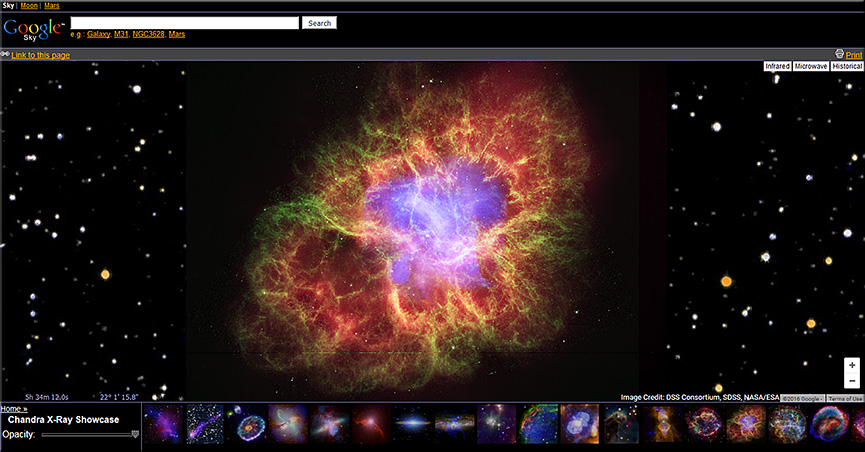
  7. Google Sky


GoogleSky-April2016


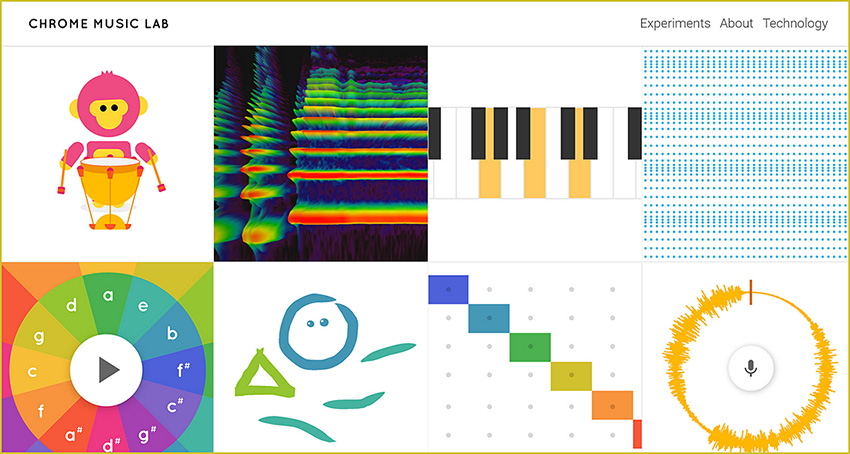
Chrome Music Lab

Excerpt:

Music is for everyone. So this year for Music In Our Schools month, we wanted to make learning music a bit more accessible to everyone by using technology that’s open to everyone: the web. Chrome Music Lab is a collection of experiments that let anyone, at any age, explore how music works. They’re collaborations between musicians and coders, all built with the freely available Web Audio API. These experiments are just a start. Check out each experiment to find open-source code you can use to build your own.


ChromeMusicLab-March2016


My challenge to you – 8 things all teachers should learn about #edtech — from ictevangelist.com by Mark Anderson

Excerpt:

I love the School Report scheme that the BBC run via Newsround. We all remember the Newsrounds of our youth. For me it was John Craven who made me watch it whenever it was on. It was this report I saw recently on eight things teachers should learn, which got me thinking about eight things I thought teachers should learn about edtech.

My work sees me regularly helping teachers learn different things related to the use of technology and so in this post, I’m going to talk about the eight things I think teachers should learn with #edtech to help support their use of technology to enhance learning in the classroom.

Mark mentions: Google, Padlet, Kahoot, Socrative, Camera, Microphone, Twitter, Videoconferencing software


Quiz accommodations for students in Canvas and Moodle — from thejournal.com by Emmett Dulaney03/16/16

Excerpt:

As we move toward interacting more with students who have an individualized education program (IEP) indicating that they need additional time on tests and quizzes or just need to deal with life issues, it is imperative that the learning management system (LMS) depended upon by an instructor and student alike be properly configured for such accommodations. Canvas and Moodle are currently two of the most popular learning management systems, and both offer the ability to make adjustments to quiz functions within the course without compromising the overall structure of the course. In this article, we will examine how to do so and offer some tips on situations where they are relevant.


Use these Chrome apps to unleash students’ creativity — from educatorstechnology.com

Excerpt:

[The] Chrome web store is packed full of all kinds of educational apps and extensions some of which are also integrated with Google Drive. For those of you looking for a handy resource of Chrome apps to use with students in class, check out this comprehensive chart. In today’s post we are sharing with you a collection of some practical Chrome extensions to unleash learners creativity. Using these resources, students will be able to engage in a number of creative literacy activities that will allow them to multimodally communicate their thoughts, share their ideas and develop new learning skills.


Integrating technology and literacy — from edutopia.org by Frank Ward

Excerpt:

How do you work technology into the pedagogy, instead of just using something cool? That task can be especially daunting in language arts literacy classrooms where reading and writing skill development is the crux of daily lessons. However, as 1:1 technology initiatives roll out, integrating technology into the classroom is our reality.

With hundreds of sites, apps, Chrome extensions, and platforms available, choosing the right ones can seem overwhelming. As an eighth-grade language arts teacher, I’ve experienced this myself. Following are four tools that can help provide immediate formative assessment data as well as top-of-the-rotation feedback to help students develop personal learning goals.

If, like my school, you’re in a “Chromebook District,” these suggested tools will work well because all integrate perfectly when you sign in with your Google ID, limiting the need for multiple passwords. This saves a lot of student confusion, too.


Teachers are using theater and dance to teach math — and it’s working — from washingtonpost.com by Moriah Balingit

Excerpt:

This giggly play session actually was a serious math lesson about big and small and non-standard measurements. Dreamed up by Richardson and kindergarten teacher Carol Hunt, it aims to get the children to think of animal steps as units of measurement, using them to mark how many it takes each animal to get from a starting line to the target.

Teachers call such melding of art and traditional subjects “art integration,” and it’s a new and increasingly popular way of bringing the arts into the classroom. Instead of art as a stand-alone subject, teachers are using dance, drama and the visual arts to teach a variety of academic subjects in a more engaging way.


Some older items include:

Tech Tip: Using Nearpod for math instruction — from smartblogs.com


Storytelling app a hit; launches a new chapter in transmedia — from blogs.vancouversun.com

Excerpt:

Paul Pattison and Luke Minaker knew they were onto something when they got an email from the mother of a nine-year-old who read the first instalment of their interactive story, Weirdwood Manor.

She wrote that she couldn’t get her son to pick up a book,” said Pattison, technical director of All Play No Work, producer of the iPad app. “She got the app for her son and he went through it in two nights. He finished both books.

And then because we don’t have book 3 out yet, unprompted by her he went over to the bookshelf and pulled off a paperback and started reading chapter books again.

.


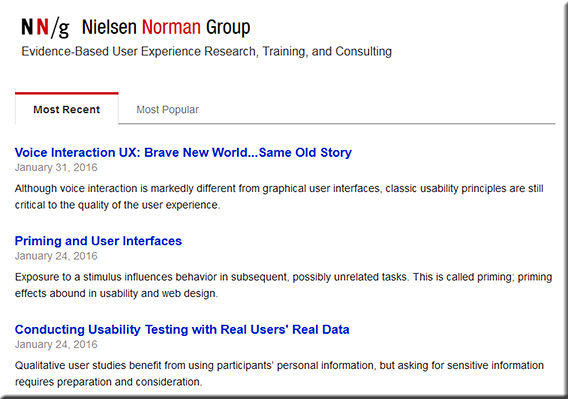
Top 20 User Experience Blogs and Resources of 2015 — from usabilitygeek.com by Matt Ellis

Example resources from that posting:


ux-design-feb2016


ux-design2-feb2016


ux-design3-feb2016

BONUS: 15 Honorable Mentions

The following is a list of other excellent user experience blogs that did not make it in this list but are so good that they are still worth a mention. So please be sure to check them out as well!


From DSC:
Though I’m sure this list is missing many talented folks and firms, it’s a great place to start learning about user experience design, interface design, interaction design, prototyping, and usability testing.


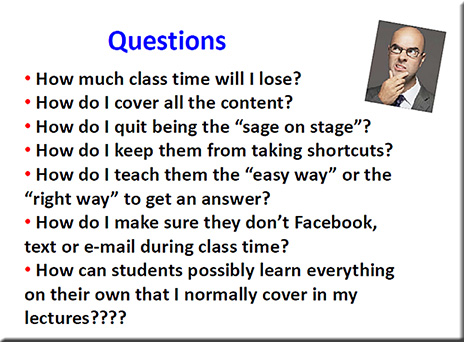
HarveyMuddJan2016-FlippedClassroomSTEM


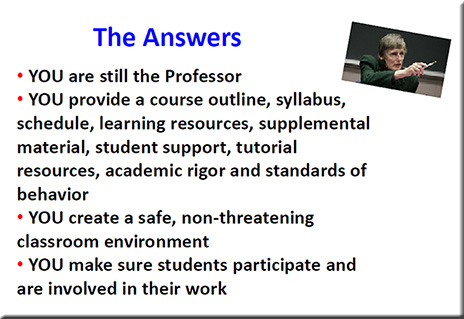
Example slides from one of the presentations at the Flipped Classroom Conference 2016
[Held at Harvey Mudd College in January; with special thanks to Mr. Jeremy VanAntwerp,
Professor of Engineering at Calvin College for this resource]
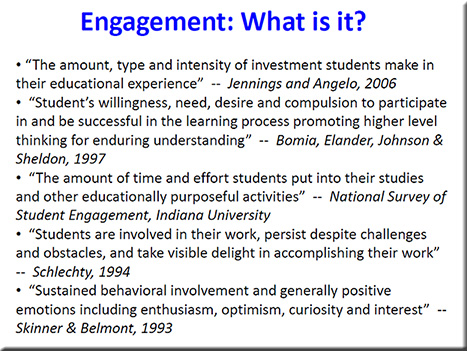
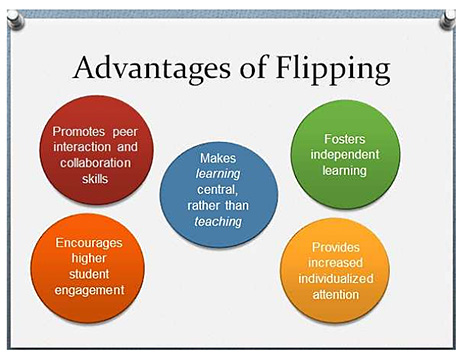
 

HarveyMuddJan2016-FlippedClassroomSTEM-Slide


HarveyMuddJan2016-FlippedClassroomSTEM-Slide2

HarveyMuddJan2016-FlippedClassroomSTEM-Slide3


HarveyMuddJan2016-FlippedClassroomSTEM-Slide4


Three reasons for switching to flipped learning — from rtalbert.org by Robert Talbert, Mathematics Professor at Grand Valley State University in Michigan [USA]

Excerpt:

  1. The argument from pedagogy: We use flipped learning because it puts the best-known/best-available practices for teaching and learning in the spotlight, including active learning of all kinds, student-centered instruction, constructivist techniques, differentiated instruction, spaced repetition, Vygotsky’s zone of proximal development idea, self-regulated learning, and the like. Whereas these things can be featured in a traditional classroom but it feels unnatural, like the wrong tool for the job.
  2. The argument from logistics
  3. The argument from relationships


Peer instruction for active learning — by Harvard University Prof. Eric Mazur on difficulties of beginners, teaching each other, and making sense of information

 

EricMazur-ActiveLearningSpeechSep2014-2


Also see Eric’s presentation out at Auburn University from back in September 2014:
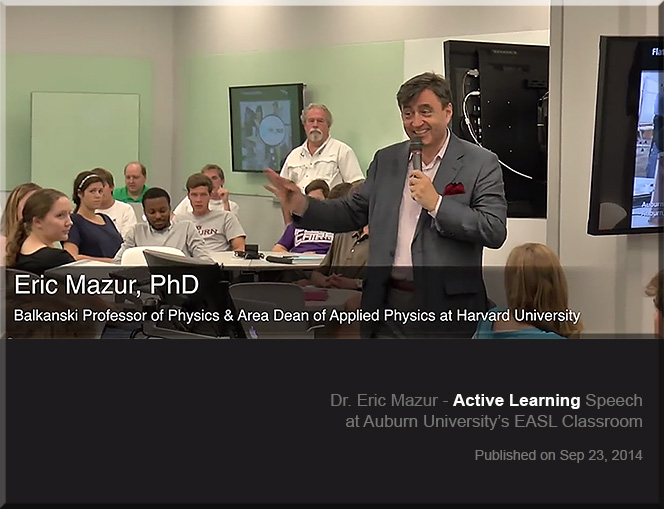
EricMazur-ActiveLearningSpeechSep2014


Why are we so slow to change the way we teach? — from facultyfocus.com by Maryellen Weimer, PhD

Excerpt:

However, lecture isn’t the only example of where we’re slow to change. Many aspects of teaching—course design, approaches to testing, assignments, and grading—have also changed little. Granted, some faculty do change, a lot and regularly, but not the majority. The question is, “Why?” Here are some possibilities I’ve been considering.


Crafting questions that drive projects — from learninginhand.com by Tony Vincent

Excerpt:

Not only does project based learning motivate students because it is an authentic use of technology, it facilitates active learning, critical thinking, collaboration, and creativity. Projects begin with a driving question—an open-ended question that sets the stage for the project by creating interest and curiosity. Writing an effective driving question is surprisingly challenging. You want the question to be intriguing and irresistible to students, which makes it very different from the typical questions they encounter on tests.

A Driving Force
Like many educators, I call the “mission statement” of a project a driving question.  It captures the heart of the project by providing purpose using clear and compelling language. With so many different flavors of project based learning (including problem based learning, challenge based learning, student centered learning, exploration, student driven inquiry, and authentic learning), it’s not surprising that we have a variety of other terms for a question or statement that is the project’s driving force. These terms include essential question, challenge, prime question, WILD HOG question, focus question, and smart question. I’ll stick with driving question, but do know that sometimes the driving question is not interrogative. It might be a statement, but I’ll still refer to is as a question.


Literacy help: Alan Peat story bags – How to develop story writing and literacy skills in younger children. — from hubpages.com

Excerpt:

There is no getting away from the fact that the more a child has been read to and the more they try to read themselves then the better their literacy skills are going to be. Parents have a massive influence on this. As a parent myself I considered reading to and teaching my daughter to read the one most important thing I could do to aid her life at school.

Sadly this is not always the case and too many students we teach read rarely at home or in rare cases don’t even own a book. Sad I know and to be honest I can’t imagine a house without books in it. I jokingly refer to my daughters collection ‘her library’ because she has so many which are updated as she reads through them.

But lets be fair, it is not only the students who struggle with reading that need help with story writing. A lot of students will benefit from this approach including your high flyers. I have taught this in year 3, although i would consider it to be more a KS1 activity, but in year 3 they do need certain aspects of a KS1 curriculum to help there development as it is a hard transitional year. Saying that I have seen other teachers use it in higher years than that and why not if it will benefit their writing.


On the front of each bag, so every child can read it easily should be the questions:

  1. Who?
  2. Where?
  3. Where next?
  4. Why?
  5. What goes wrong?
  6. Who helps?
  7. Where last?
  8. Feelings?


Simple tips to create a blended learning classroom — from blog.edmentum.com by Jasmine Auger

Excerpt:

We’ve compiled this list of five easy ways to start incorporating technology into your classroom and building a blended environment!

Blogging
Social Media
Virtual Presentations
Infographics
Video


Other somewhat related items:

Full STEAM ahead: Why arts are essential in a STEM education — from edutopia.org by Mary Beth Hertz

Excerpt:

The connection is also obvious for anyone who has ever worked in any traditional STEM career. Everyone from software engineers and aerospace technicians to biotechnical engineers, professional mathematicians, and laboratory scientists knows that building great things and solving real problems requires a measure of creativity. More and more, professional artists themselves are incorporating technological tools and scientific processes to their art.

Also see: 
STEM to STEAM: Resources Toolkit — from edutopia.org | Originally Published: 5/21/14 | Updated: 1/20/16
Whether you are looking for resources on integrating science, technology, engineering, and math or on infusing the arts to transform STEM into STEAM, these curated compilations will help you plan different approaches to integrated studies.

…and a related item re: curriculum, but at the collegiate level:


What is the value of an education in the humanities? — from npr.org by Adam Frank

Excerpt:

In spite of being a scientist, I strongly believe an education that fails to place a heavy emphasis on the humanities is a missed opportunity. Without a base in humanities, both the students — and the democratic society these students must enter as informed citizens — are denied a full view of the heritage and critical habits of mind that make civilization worth the effort.

So, these are my traditional answers to the traditional questions about the value of humanities and arts education vs. science and engineering. From my standpoint as a scholar, I’ll stand by them and defend what they represent to the last breath.

But the world has changed and, I believe, these answers are no longer enough.

It’s not just the high cost of college that alters the equation. It’s also vast changes that have swept through society with the advent of a world run on information (i.e., on data). So, with that mind, here is my updated — beyond the traditional — response to the value of the humanities in education: The key is balance.

It is no longer enough for students to focus on either science/engineering or the humanities/arts.


BloggingInTheClassroom-MattBanner-Nov2015

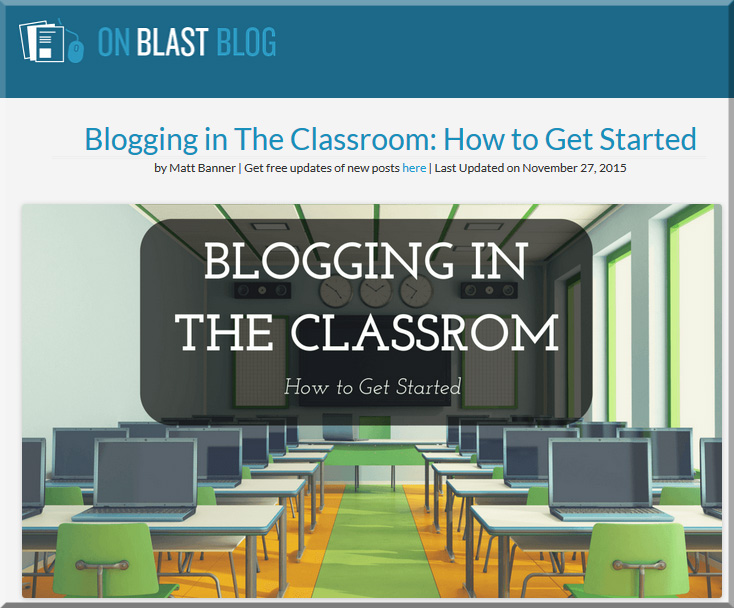
Blogging in the classroom: How to get started — from onblastblog.com by Matt Banner

Excerpt:

Here’s what we’ll discuss today:

  • Ways to bring blogging into your classroom and daily lesson plans
  • The litany of benefits blogging brings to education
  • Deciding the purpose and goals of your blog
  • Setting up your classroom’s blog
  • Easy ways to promote and grow your classroom blog


Blogging about a subject turns novices into experts.
There’s no other choice. When you write thousands upon thousands of words about something, doing research all the while, you become an expert in that subject. It’s unavoidable, and possibly the best way to learn in my opinion. Instead of having the information fed to them, students are taking it and putting it down on paper in their own words.

They live the information instead of simply seeing it. This is huge in terms of learning something for the long-term. Hands-on experience will always leave more of a lasting impression than something that is simply boiled down to a few questions on a test.

Michelle Lampinen, a high school English teacher in New Jersey wrote a great article on this here.


Also see:
How blogging is being used in the classroom today: Research results — from emergingtech.com by Mike Wallagher

Excerpt:

The 2015 survey has yet to be reported on, but 2014 research findings have something to say about the state of blogging in the classroom today.

Benefits of Blogging in the Classroom
Blogging in the classroom can have numerous benefits depending on how you use your blog. Just some include that:

  • Instructors can create a blog about class happenings so parents can stay up-to-date and students can access announcements from anywhere
  • Teachers can use their blogs to store lessons online or provide supplemental learning materials to students
  • Instructors can use blogs to organize assignments, such as posting them online for absent students or listing due dates so all students have access to the course materials from anywhere
  • Teachers can post previous students’ work as examples or publish current students’ work so they can show parents and family who live far away
  • Educators can open the comment sections on blog posts to get feedback from parents and the community as well as to create discussion between students
  • Student blogs teach children about writing techniques, online publishing, and proper Internet etiquette, which most students will use in future careers

How Blogs Are Being Used
“Blogging in the classroom” may bring up this idea that there’s one way to present blogging to your students, but there are a myriad of ways educators can use blogs. Just some options include:

  • Personal blogs for teachers
  • Student blogs
  • ePortfolios
  • Platforms for assignments, homework, and announcements
  • Classroom blogs for collaboration and discussion


From DSC:
Whether your school, university, or college has a web hosting service or whether you need to go out and find a web hosting service yourself — or use a free service/solution — blogging is a great way to create streams of content and to “think out loud.” It offers benefits for students, teachers, professors, staff, and administrators.


Microlearning: The e-Learning method taking off around the world — from educators.co.nz by Catherine Knowles

Excerpt:

Technology is disrupting traditional learning bringing new methods and tools into educational institutions and businesses.

Microlearning, for instance, has displayed great potential for growth, according to Association Learning + Technology 2016 – a report published by Tagoras and sponsored by YM Learning.

The report looks at the use of technology to enable and enhance learning in the continuing education and professional development market and provides insight into how the role technology plays in learning has and will evolve.


In fact, among five emerging types of learning (microlearning, massive open online courses (MOOCs), flipped classes, gamified learning, and microcredentials), microlearning shows the highest rate of adoption – and arguably the greatest potential for growth.


Podcasting is perfect for people with big ideas. Here’s how to do it — from by Todd Landman
Surprisingly few academics have learned how to podcast – but it’s a great way to reach a wider audience

Excerpt:

In the face of conflict in the Middle East, the flow of refugees to Europe and the violence associated with Islamic State and other militants, there has never been a more important time to talk about human rights. And talk about them is what I do – not in a lecture hall or at conferences with academics, but in a podcast series. Let me explain why.

I have worked as a political scientist for 25 years, focusing on human rights problems such as the struggle for citizenship rights in Latin America and the relationship between inequality and human rights violations.

I am part of a wide network of people dedicated to producing sound evidence on human rights, and my work has been communicated through articles, books and reports. But I am limited in my ability to reach the people I would most like to engage and influence – those who do not have an academic understanding of human rights but might benefit from finding out about it.

There is a new breed of academic who understands this and is committed to bridging the gap between academia and the real world. Many blog, actively seek media coverage of their research and appear on radio and television to shed light on the issues of the day.


From DSC:
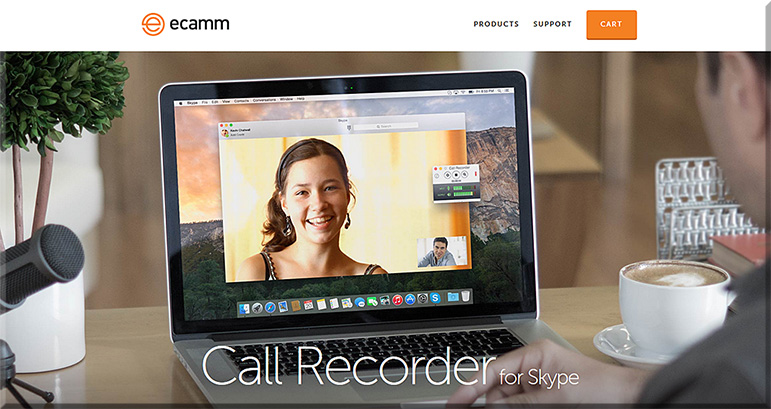
Some of the tools that Landman mentioned were:

e-camm-for-skype-jan2016

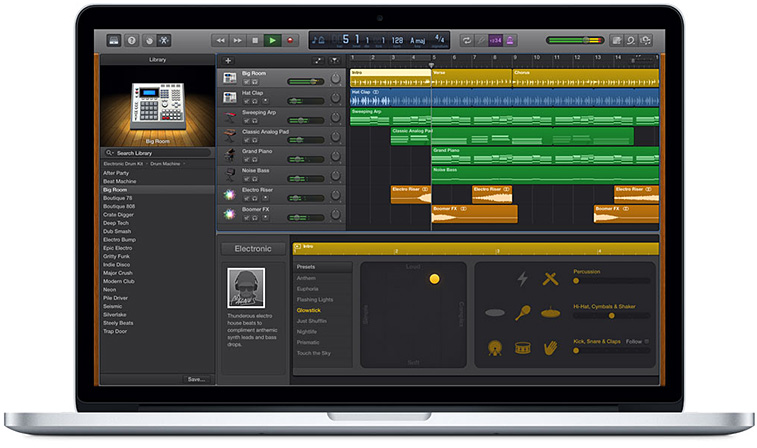
  • A MacBook Pro and its free audio editing software GarageBand (for Mac OS X and for iOS)
  • A lapel mic used with his iPhone


garageband-jan2016


Some other tools to consider:


From DSC:
The above articles point to the idea — and the need — of creating “streams of content” — something that I wish more professors, teachers, staff, administrators, trainers, and instructional designers would create. Blogs, podcasts, and the use of Twitter come to my mind. Such channels could really help build others’ learning ecosystems.

Many professors and academics — folks who have so much information to share with the world — often produce works just for other academics in their discipline to review/check out. Such bubbles don’t have the impact that would occur if professors created streams of content for members of society to check out and learn from. Such mechanisms would also hopefully strip away some of the more academic sounding language and would get to the point.


streams-of-content-blue-overlay


Also see:

podcastscratch-june2015


Everything you need to know to be a social media rock star in 2016 — from onblastblog.com by Matt Banner

Excerpt:

Today websites like Facebook, Twitter, and plenty of others are becoming CRUCIAL for success as a blogger. They offer a rich potential to connect with, engage, and attract new readers and leads to your site.

This trend isn’t going anywhere in 2016, so today I’m going to give you the complete rundown on how to rock the social media world in the coming year.


Social Media Cheat SheetCredit:On Blast Blog via On Blast Blog


Also see:


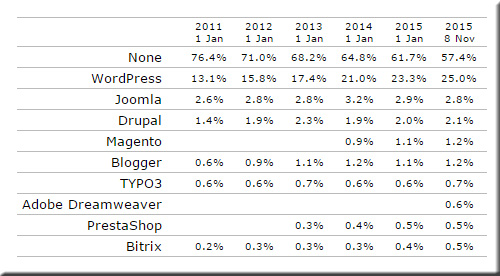
WordPress now powers 25% of the Web — from by Emil Protalinski

Excerpt:

One in four websites is now powered by WordPress.

Today is a big day for the free and open-source content management system (CMS). To be perfectly clear, the milestone figure doesn’t represent a fraction of all websites that have a CMS: WordPress now powers 25 percent of the Web.


WordPress-25Percent


DanielChristian-EdTechTop50DeansList2015


From DSC:
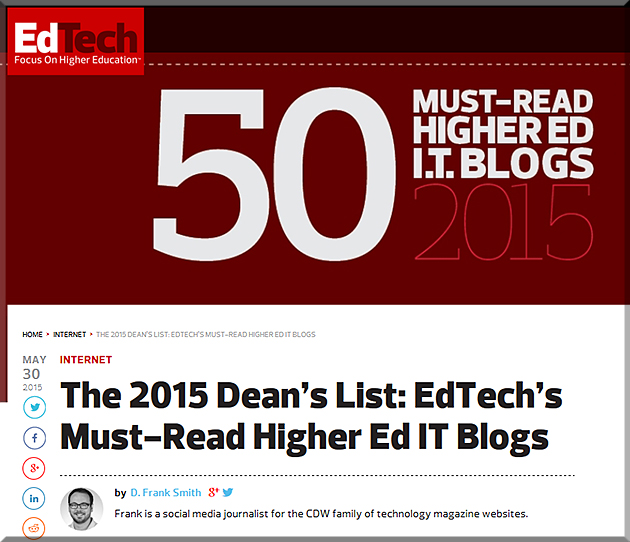
I’m honored to be on this year’s Ed Tech Dean’s List. I want to thank Ed Tech Magazine, D. Frank Smith, and Tara E. Buck, and readers of this blog for their/your support here.  I also want to send a shout out to Jimmy Daly for his past support here as well.


EdTechMagazinesDeansList2014-dsc2


Excerpt:

Everyone has a favorite blog. Odds are, that blogger has a favorite as well.

We’ve scoured the Internet for blogs that resonate with the intersection of higher education and technology. These are blogs that set themselves apart for a variety of reasons — they are leading voices in their fields, have hundreds if not thousands of fans and consistently raise the bar for conversation.

The majority of these blogs are new to EdTech: Focus on Higher Education’s honor roll. Some were nominated by our readers, and some are veterans of last year’s list that have stayed on top of our charts.
 

From DSC:
I would like to thank Frank Smith (@DFrank), Tara Buck (@TEBuckTMG), Jimmy Daily (@Jimmy_Daly), and all of the folks at Ed Tech Magazine (@EdTech_HigherEd) for including this Learning Ecosystems blog in this year’s Dean’s List.


From DSC:
The items below speak to the wonderful, powerful world of storytelling.  I see storytelling becoming more interactive/participatory — offering more choice and more control to the viewers.  There are applications in education, training, marketing, advertising, and more.  Finally, I’ve also included some interesting tools/sites for folks to create their own digitally-based stories. 


How storytelling can do wonders in blogging — by Kumail Hemani

Excerpt (emphasis DSC):

Why then was my history class one of the best classes I had? We never had to learn by heart any of the history notes in spite of all the dates, events, places and names. What we heard in that class got imprinted in our mind word by word as soon as they reached my ears.

Reason?

It was in the art of my teacher’s style of speaking and style of lectures. She never took our lessons as lectures, instead she choose to tell them through stories.

My teacher knew the art of true speaking. She spoke in such a style that we students felt everything happening around us. The lectures used to start forming an image in students mind, creating a flow, making everything seem like it is happening in the present. In such style of lectures, it only took us moments before everything made an impact on us and we understood everything word by word.


5 apps for making movies on mobile devices — from edutopia.org by Monica Burns

Excerpt:

Every year at Hollywood award shows, we see fantastic movies celebrated for their rich storytelling and dynamic performances. Your students can become moviemakers, too, thanks to some powerful apps for mobile devices. With these tools, your children can take videos and edit their work to make professional quality movies using iOS devices (iPads and iPhones) and Android tablets.
One good thing about this easy-to-use technology is that students can still use important English language arts skills like writing a narrative, planning a sequential story, and including key details when getting ready to make a movie. These apps can enhance the work that you are doing with children in the classroom and give them room to be creative storytellers.
 

Visual storytelling: Why data visualization is a content marketing fairytale — from searchenginejournal.com by Shane Jones

Excerpt (emphasis DSC):

Humans are scientifically designed to love stories.
More of our brain is engaged when we listen to stories. They cause our neurons to act as if we were actually doing the actions we hear in the story. Stories also have that human element we were talking about earlier, which makes them more entertaining and engaging.

If you do it right, you can use your data to tell the human story – and how it can be improved through the use of your product or service. In fact, the best content visuals do just that. They introduce viewers to a concept or situation (the problem you address), walk them through the main information about that concept or situation (how you’ll address it), and then provide a conclusion in the form of CTA (converting).

In summary, people are interested in learning about themselves, but they’re sick of learning through plain copy, and they’re programmed to desire visual content that tells a tale. Visualizing data is an effective strategy for giving them exactly what they want – information that is more visible and less difficult to digest.


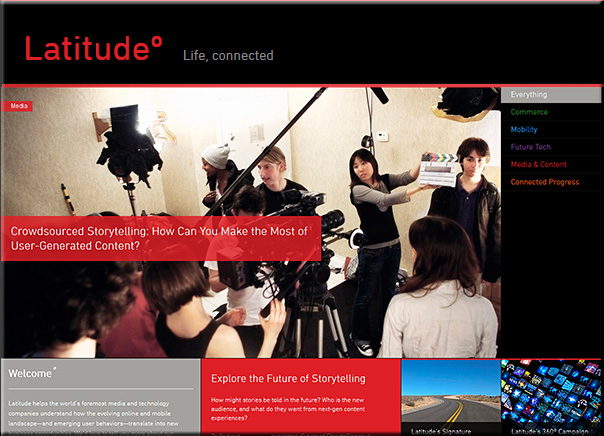
Crowdsourced storytelling: How can you make the most of user-generated content? — from latd.com by Kim Gaskins

Excerpt:

Connect with people on an emotional level.
This may sound obvious, but there are countless ways to frame a particular project or issue to people you’re hoping to entice—so make sure to think like a good marketer. For example, Israel Mirsky is the founder of Uncoverage, a crowd-funding platform for investigative journalism, who has decided to focus his message on the issues that are most emotionally accessible to his audience. There’s a compelling business case backing Mirsky’s efforts; namely, there’s no longer any business model to support important but resource-intensive journalism that may bring in fewer advertising dollars than simple, click-worthy headlines. It’s a powerful argument, but it’s not the one Mirsky is taking to potential contributors: “I suspect that talking about the problem with investigative journalism isn’t the right value proposition to bring to the table here. The right one is the one that individuals care about: the people and the issues that matter to them.”


latitude-March2014


6 great examples of digital storytelling — from 8ms.com by Simon Heyes

Excerpt:

In the socially connected world, the attention span of an audience becomes shorter as more and more mundane content is thrust in front of their eyes. Digital storytelling allows a brand to evoke emotion, and become more connected with consumers.

If content is at the heart of digital marketing, then we believe audiences are at the heart of digital storytelling. By creating a story that is authentic to your brand and to your audience, and then building content around that story, you will connect your brand to the lives of your consumers.

Here are six handpicked examples where we believe great writing is combined with great imagery to create authentic content, and a brilliant digital story.


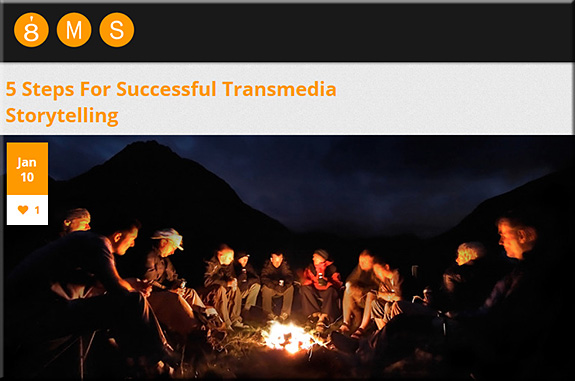
5 steps for successful transmedia storytelling — from 8ms.com by Simon Heyes


5tipstransmediastorytelling


From DSC:
I see storytelling becoming more interactive/participatory — offering more choice and more control to the viewers.  As such, here are some interesting tools/sites:


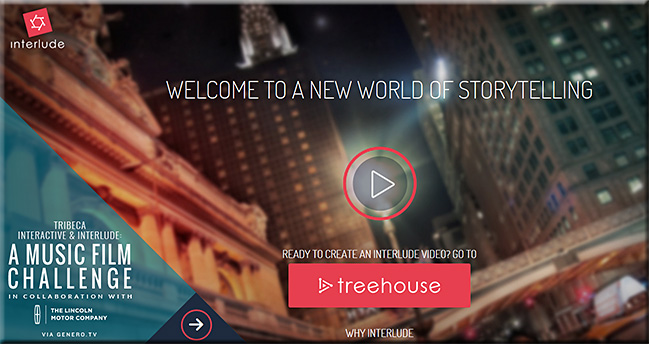
Interlude

interlude-March2014


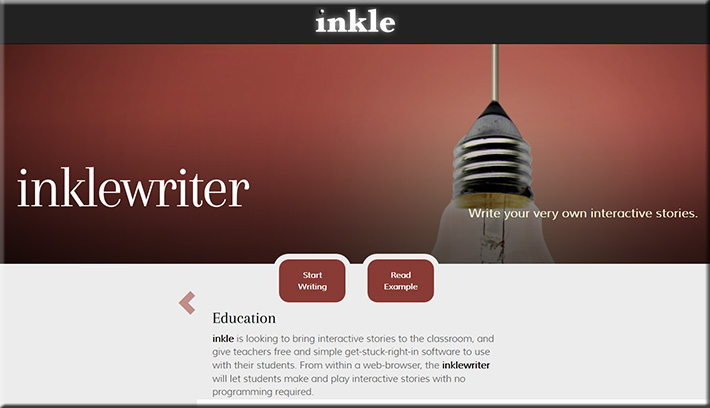
inklewriter

inkle-March2014


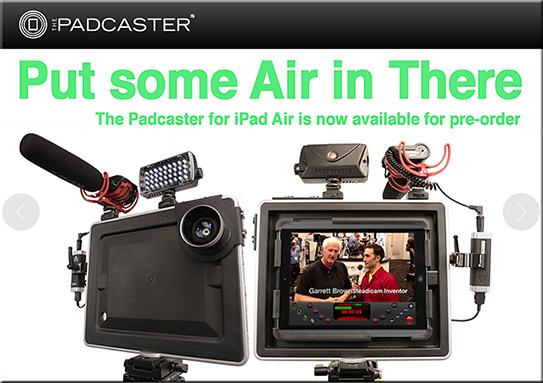
Padcaster

Padcaster-March2014


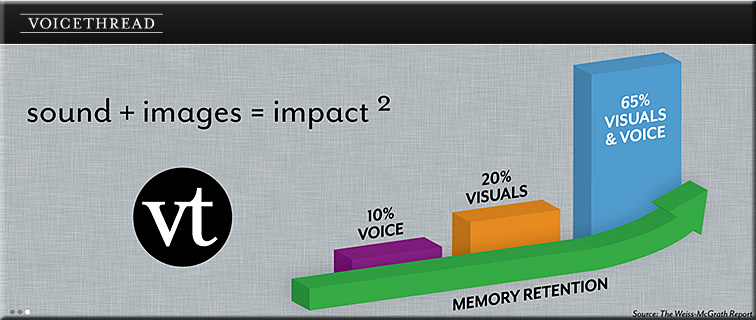
Voicethread

Voicethread-March2014


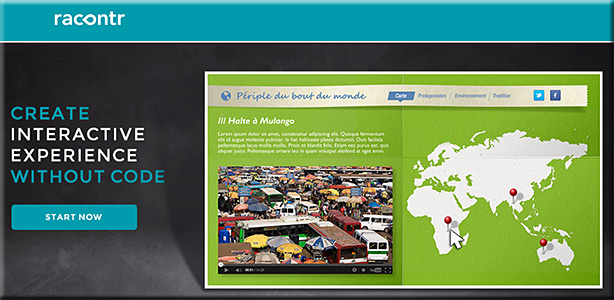
Racontr.com

racontr-March2014


TouchCast

TouchCast-in-Education3


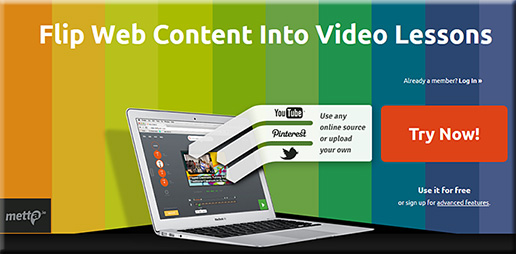
Metta

metta-March2014


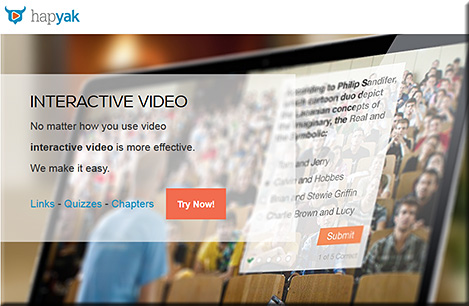
Hapyak

hapyak-March2014


Also see:


5 reasons why you should be using storytelling in training — from dashe.com by Ben Nesvig

Excerpt:

Storytelling has been a popular tool for learning since the dawn of civilization, but thanks to technology bringing new mediums for storytelling, it has been on the rise in training in the workplace. Despite the fact that storytelling is a powerful vehicle for teaching, some still prefer to do a “data dump” because it’s easier than constructing a narrative, though not more effective. Below I provide 5 reasons why storytelling should be used more frequently in the workplace.


Digital storytelling: an efficient and engaging learning activity — from elearningindustry.com


 Storehouse
“The easiest way to create, share, and discover beautiful stories.”


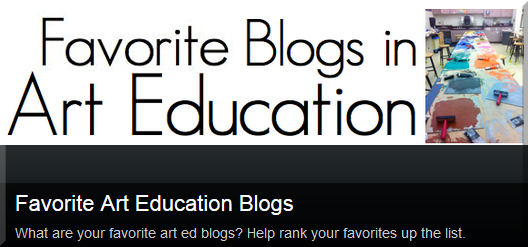
Favorite Art Education Blogs— from theteachingpalette.com by Theresa McGee; with thanks to Leah Olson for the tweet on this


FavoriteBlogsInArtEducation-Jan2014

Excerpt:

Today we have some amazing teachers sharing real content on what goes on in contemporary art classrooms.  We share lesson ideas, embed YouTube videos, and advocate for quality art education.  Thanks to social media we are able to share this content and collaborate together.

Check out this amazing list of art education blogs recommended by art teachers around the world.  This list is interactive! Please join in and add your favorite art ed blog and help sort the list by ranking up your favorites.


Also see:


An introduction to social media for scientists — from plosbiology.org by Holly Bik & Miriam Goldstein

Citation: Bik HM, Goldstein MC (2013) An Introduction to Social Media for Scientists. PLoS Biol 11(4): e1001535. doi:10.1371/journal.pbio.1001535

Published: April 23, 2013

Copyright: © 2013 Bik, Goldstein. This is an open-access article distributed under the terms of the Creative Commons Attribution License, which permits unrestricted use, distribution, and reproduction in any medium, provided the original author and source are credited.


Online social media tools can be some of the most rewarding and informative resources for scientists—IF you know how to use them.


© 2025 | Daniel Christian