Reimagining the Future of Accessible Education with AI (Part I) — from blogs.microsoft.com by Heather Dowdy

Reimagining the Future of Accessible Education with AI (Part 2) — from blogs.microsoft.com by Heather Dowdy
[During Feb 2021], the Microsoft AI for Accessibility program [called] for project proposals that advance AI-powered innovations in education that will empower people with disabilities. Through a two-part series, we are highlighting projects we are supporting.

And an excerpt from Brad Smith’s (4/28/21) posting:

That’s why today we’re announcing the next phase of our accessibility journey, a new technology-led five-year commitment to create and open doors to bigger opportunities for people with disabilities. This new initiative will bring together every corner of Microsoft’s business with a focus on three priorities: Spurring the development of more accessible technology across our industry and the economy; using this technology to create opportunities for more people with disabilities to enter the workforce; and building a workplace that is more inclusive for people with disabilities.


Doubling down on accessibility: Microsoft’s next steps to expand accessibility in technology, the workforce and workplace — from Brad Smith, President of Microsoft

Excerpt:

Accessibility by design
Today, we are announcing a variety of new “accessible by design” features and advances in Microsoft 365, enabling more than 200 million people to build, edit and share documents. Using artificial intelligence (AI) and other advanced technologies, we aim to make more content accessible and as simple and automatic as spell check is today. For example:

  • A new background accessibility checker will provide a prompt to fix accessibility issues in content across the core Office apps and Outlook will nudge users to correct accessibility issues.
  • AI in Microsoft Word will detect and convert to heading styles crucial for blind and low-vision readers.
  • A new Excel navigation pane designed for screen readers will help people easily discover and navigate objects in a spreadsheet.
  • We’re expanding Immersive Reader, used by 35 million people every month, to help with the comprehension of PowerPoint slides and notes.
  • In Teams, high-contrast mode can be used to access shared content using PowerPoint Live  which will reduce eye strain and accommodate light sensitivity with Dark Mode in Word.
  • New LinkedIn features that include auto-captioning for LinkedIn Live broadcasts, captions for enterprise content and dark mode later this year.

More than 1 billion people around the world live with a disability, and at some point, most of us likely will face some type of temporary, situational or permanent disability. The practical impacts are huge. 

Addendum on 5/6/21:


Virtual IEPs should stay — from crpe.org by Katy Bateman and Lanya McKittrick

Excerpt:

When the pandemic hit last spring, schools across the country shifted out of sheer necessity to virtual meetings to discuss students’ Individual Education Plans (IEP). But the move has had some unanticipated benefits, with some educators and parents praising them for their convenience and for empowering family members to be more active participants in discussing their educational needs.

The virtual IEP meetings should stay—at least as an option—even after the pandemic abates.

Virtual IEP meetings can make scheduling and attendance easier for parents and teachers alike. One parent noted the benefits to her as a busy working mom:

“I think one thing [my family] is seeing is there’s a lot of things we could just do that didn’t require us to have to go in [the school building]. . . . I don’t mind coming in, but [virtual is] easier.”


Improving Digital Inclusion & Accessibility for Those With Learning Disabilities — from inclusionhub.com by Meredith Kreisa
Learning disabilities must be taken into account during the digital design process to ensure digital inclusion and accessibility for the community. This comprehensive guide outlines common learning disabilities, associated difficulties, accessibility barriers and best practices, and more.

“Learning shouldn’t be something only those without disabilities get to do,” explains Seren Davies, a full stack software engineer and accessibility advocate who is dyslexic. “It should be for everyone. By thinking about digital accessibility, we are making sure that everyone who wants to learn can.”
…
“Learning disability” is a broad term used to describe several specific diagnoses. Dyslexia, dyscalculia, dysgraphia, nonverbal learning disorder, and oral/written language disorder and specific reading comprehension deficit are among the most prevalent.

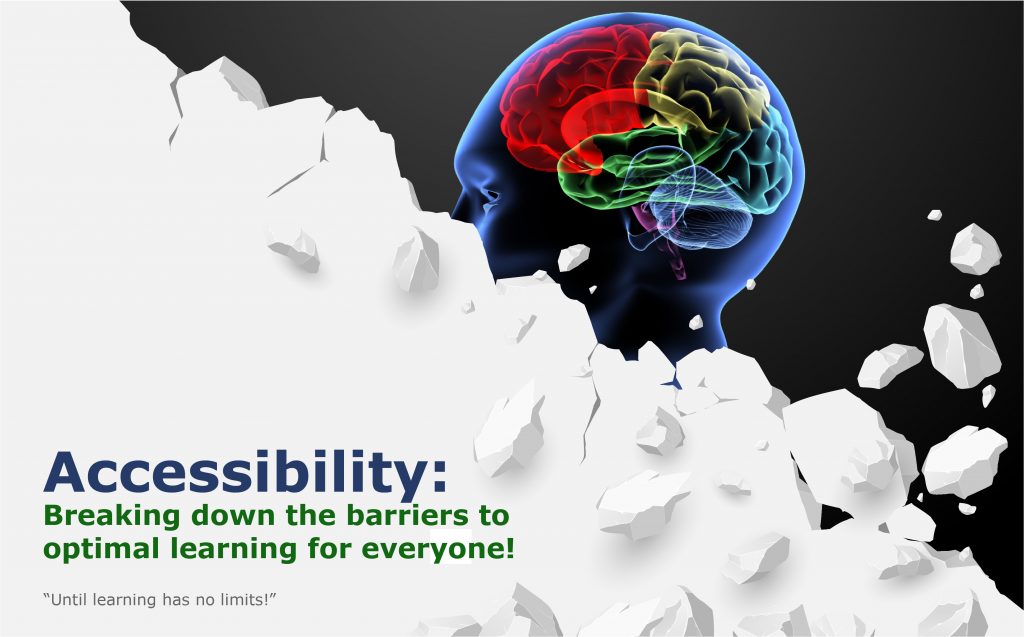
An image of a barrier being torn down -- revealing a human mind behind it. This signifies the need to tear down any existing barriers that might hinder someone's learning experience.


What is it like to use a screen reader? — from knowbility.org by Anthony Vasquez

Excerpt:

In January, I, along with Texas State University computer science student Su Park, demonstrated screen reader interactions as part of Knowbility’s Screen Readers in the Wild webinar. Both Su and I are blind and have used screen readers since childhood. We weren’t able to answer all attendee questions during the webinar, so I’m continuing the discussion here. I hope that after reading this, you’ll better understand the roles that screen readers and accessible content play in the lives of blind people, and learn of a few easy ways you can improve the user experience. So, let’s jump right in!

If you missed Screen Readers in the Wild, you can still watch the demos!


Chrome now instantly captions audio and video on the web — from theverge.com by Ian Carlos Campbell
The accessibility feature was previously exclusive to some Pixel and Samsung Galaxy phones

Excerpt:

Google is expanding its real-time caption feature, Live Captions, from Pixel phones to anyone using a Chrome browser, as first spotted by XDA Developers. Live Captions uses machine learning to spontaneously create captions for videos or audio where none existed before, and making the web that much more accessible for anyone who’s deaf or hard of hearing.
…
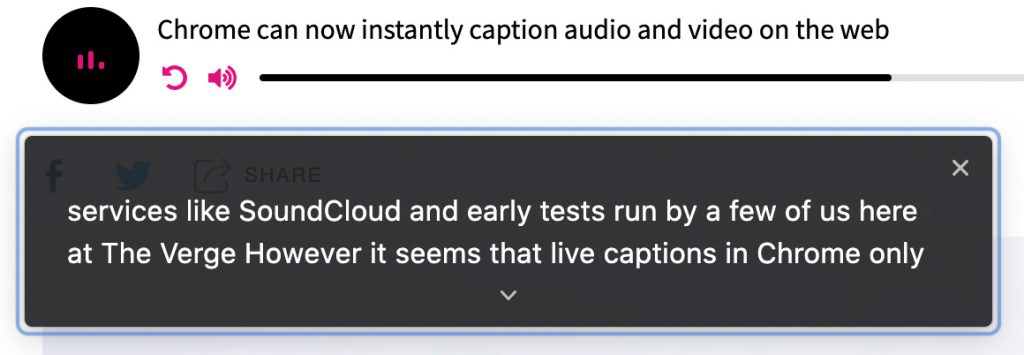
Chrome’s Live Captions worked on YouTube videos, Twitch streams, podcast players, and even music streaming services like SoundCloud in early tests run by a few of us here at The Verge. Google also says Live Captions will work with audio and video files stored on your hard drive if they’re opened in Chrome. However, Live Captions in Chrome only work in English, which is also the case on mobile.


Chrome now instantly captions audio and video on the web -- this is a screen capture showing the words being said in a digital audio-based file


Video Captions Benefit Everyone — from ncbi.nlm.nih.gov by Morton Ann Gernsbacher

Excerpts:

Video captions, also known as same-language subtitles, benefit everyone who watches videos (children, adolescents, college students, and adults). More than 100 empirical studies document that captioning a video improves comprehension of, attention to, and memory for the video. Captions are particularly beneficial for persons watching videos in their non-native language, for children and adults learning to read, and for persons who are D/deaf or hard of hearing. However, despite U.S. laws, which require captioning in most workplace and educational contexts, many video audiences and video creators are naïve about the legal mandate to caption, much less the empirical benefit of captions.

More than 100 empirical studies, listed in the appendix, document the benefits of captions.
…
With so many studies documenting the benefits of captions, why does everyone not always turn on the captions every time they watch a video? Regrettably, the benefits of captions are not widely known. Some researchers are unaware of the wide-ranging benefits of captions because the empirical evidence is published across separate literatures (deaf education, second-language learning, adult literacy, and reading acquisition). Bringing together these separate literatures is the primary purpose of this article.


Navigating website ADA compliance: ‘If you have videos that are not captioned, you’re a sitting duck’ — from abajournal.com by Matt Reynolds

Excerpts:

“If you have videos that are not captioned, you’re a sitting duck,” Goren said. “If you’re not encoding your pictures so that the blind person using a screen reader can understand what the picture is describing, that is a problem.”

Drop-down boxes on websites are “horrible for accessibility,” the attorney added, and it can be difficult for people with disabilities to navigate CAPTCHA (Completely Automated Public Turing test) technology to verify they are human.

“Trying to get people with voice dictation or even screen readers to figure out how to certify that they’re not a robot can be very complicated,” Goren said.

Also see:

Relevant Laws

Information re: Lawsuits


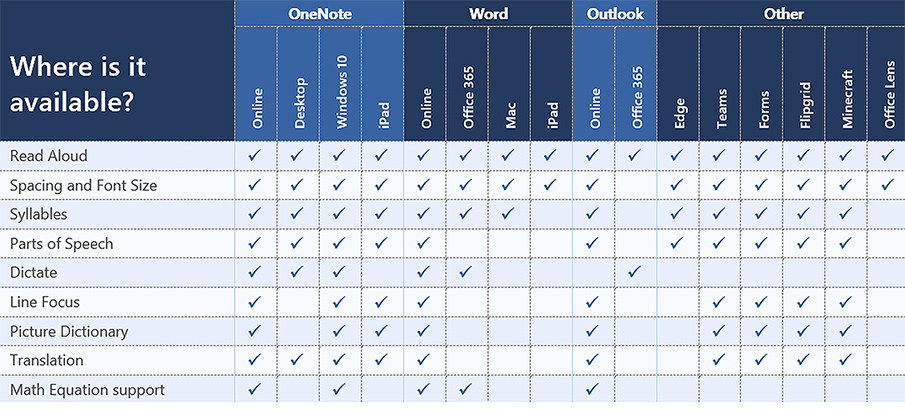
Look at the choice and control possibilities mentioned in the following except from Immersive Reader in Canvas: Improve Reading Comprehension for All Students

When building courses and creating course content in Canvas, Immersive Reader lets users:

  • Change font size, text spacing, and background color
  • Split up words into syllables
  • Highlight verbs, nouns, adjectives, and sub-clauses
  • Choose between two fonts optimised to help with reading
  • Read text aloud
  • Change the speed of reading
  • Highlight sets of one, three, or five lines for greater focus
  • Select a word to see a related picture and hear the word read aloud as many times as necessary

Also see:

All about the Immersive Reader — from education.microsoft.com

The Microsoft Immersive Reader is a free tool, built into Word, OneNote, Outlook, Office Lens, Microsoft Teams, Forms, Flipgrid, Minecraft Education Edition and the Edge browser, that implement proven techniques to improve reading and writing for people regardless of their age or ability.


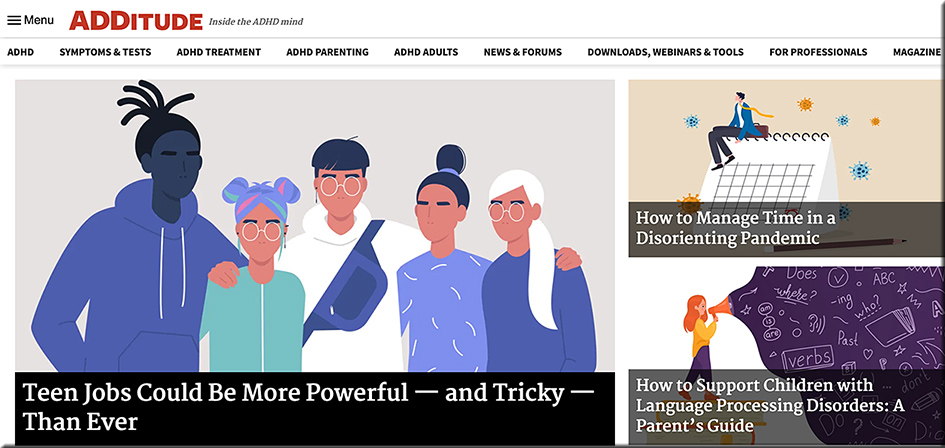
ADDitude: Resources for families touched by attention deficit disorder (ADD/ADHD).

ADDitude: Resources for families touched by attention deficit disorder (ADD/ADHD)

Example article:

“I’m a Teacher with Nonverbal Learning Disorder. And I’m Exactly Who I Needed As a Child.” — from additudemag.com by Brittany Kramer
“I strive to create a classroom environment where my students know they will be successful, no matter what. It’s the environment I would have felt safe in as a child; one that is encouraging, warm, and free of judgment or anger.”

Excerpt:

“They tried to bury me, but they didn’t know that I was a seed.”

As a special education teacher for students with learning disabilities and developmental disorders, and as a neurodivergent individual myself, this quote defines my life.

I was formally diagnosed with Nonverbal Learning Disorder (NVLD) at 23 years old. As a child and teen, I struggled in ways that most people cannot possibly comprehend.

When people think of learning disabilities, they picture a child with dyslexia or dysgraphia who cannot read or write very well. They do not envision an intelligent and articulate child for whom tying shoes or making a paper fit into a folder is arduous at best.


Here Is A Great Reading App for Students with Dyslexia — from educatorstechnology.com

Excerpt:

Omoguru is an excellent reading app for students with dyslexia. It offers a wide variety of tools ‘designed to make the text more readable’. Some of these features include: tools to adjust text appearance and enhance its readability (e.g., letter spacing, line height setting, contrast setting colours, text size and weight), syllable marking (the tool allows you to mark syllables in different colours enabling readers to easily identify and read multi-syllable words), speed reading, and many more.


Best Online Educational Games for High School Students — from edtechreview.in by Saniya Khan

Excerpt:

…the introduction of educational games to kids helps increase their motivation and engagement, enhance visual skills, improve students’ interaction and collaboration abilities with their peers, and apply gaming values in a real-world situation; most importantly, it improves learning.

Learning Apps For Kids To Explore in 2021 — from edtechreview.in by Priyanka Gupta

Excerpt:

Living in a digital era and in times when technology has kept education going, let’s look at some promising learning apps for kids to explore in 2021.


College & Career Guide for Students with Disabilities — from study.com

College students with disabilities have rights that allow for specific accommodations to help them succeed in school. Learn about legal protections, scholarships, technologies, and other assistance available to students with disabilities.


U.S. Businesses Potentially Spent Billions on Legal Fees for Inaccessible Websites in 2020 — from boia.org

Excerpt:

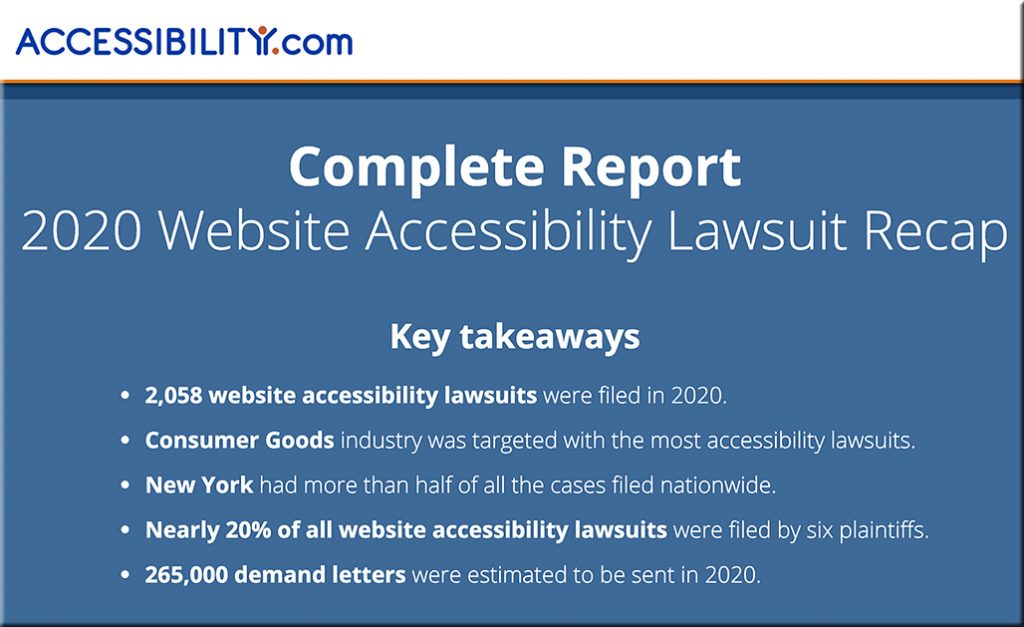
In a bombshell report published by Accessibility.com, the organization estimated that 265,000 website accessibility demand letters were sent to businesses last year. Astounding on its own, if the figure is correct or close to correct, U.S. companies could have spent billions of dollars in legal costs as a direct result of inaccessible websites in 2020 alone. Businesses looking for a wake-up call to make website accessibility a priority in 2021 and beyond might have just found it.

The above article linked to:

2020 Website Accessibility Lawsuit Recap -- from Accessibility.com

Also see:


The State of AI in Higher Education — from campustechnology.com by Dian Schaffhauser
Both industry and higher ed experts see opportunities and risk, hype and reality with AI for teaching and learning.

Excerpts:

Kurt VanLehn, the chair for effective education in STEM in the School of Computing, Informatics and Decision Systems Engineering at Arizona State University, knows how challenging it can be people to come up with examples of effective AI in education. Why? “Because learning is complicated.”
…
Nuno Fernandes, president and CEO of Ilumno, an ed tech company in Latin America, isn’t ready to count adaptive learning out yet, if only because adaptivity has worked in other industries, such as social platforms like Netflix and Amazon, to identify what could work best for the user, based on previous activities and preferred formats of curriculum.

As Ilumno’s Fernandes asserted, AI won’t “substitute for faculty in any of our lifetimes. What it will do is give us tools to work better and to complement what is being done by humans.”

From DSC:
The article is a very balanced one. On one hand, it urges caution and points out that learning is messy and complex. On the other hand, it points out some beneficial applications of AI that already exist in language learning and in matching alumni with students for mentorship-related reasons.

From my perspective, I think AI-based systems will be used to help us scan job descriptions to see what the marketplace needs and is calling for. Such a system would be a major step forward in at least pointing out the existing hiring trends, needed skillsets, job openings, and more — and to do so in REAL-TIME!

Colleges, universities, and alternatives to traditional higher education could use this information to be far more responsive to the needs of the workplace. Then, such systems could match what the workplace needs with courses, microlearning-based feeds, apprenticeships, and other sources of learning that would help people learn those in-demand skills.

That in and of itself is HUGE. Again, HUGE. Given the need for people to reinvent themselves — and to do so quickly and affordably — that is incredibly beneficial.

Also, I do think there will be cloud-based learner profiles…data that each of us control and say who has access to it. Credentials will be stored there, for example. AI-based systems can scan such profiles and our desired career goals and suggest possible matches.

We can change our career goals. We don’t have to be locked into a particular track or tracks. We can reinvent ourselves. In fact, many of us will have to.

 
© 2025 | Daniel Christian